Description
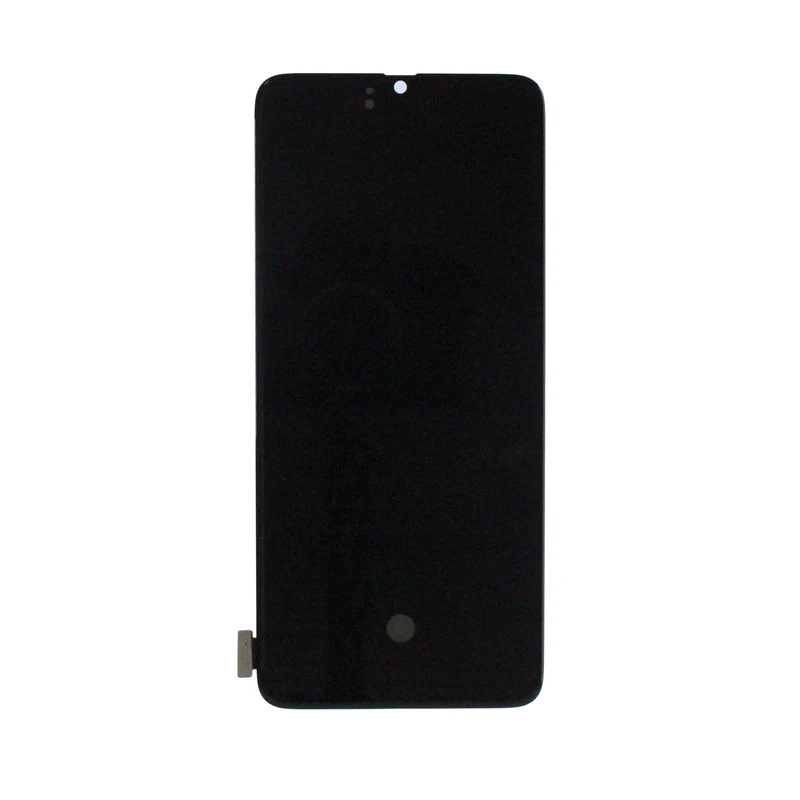
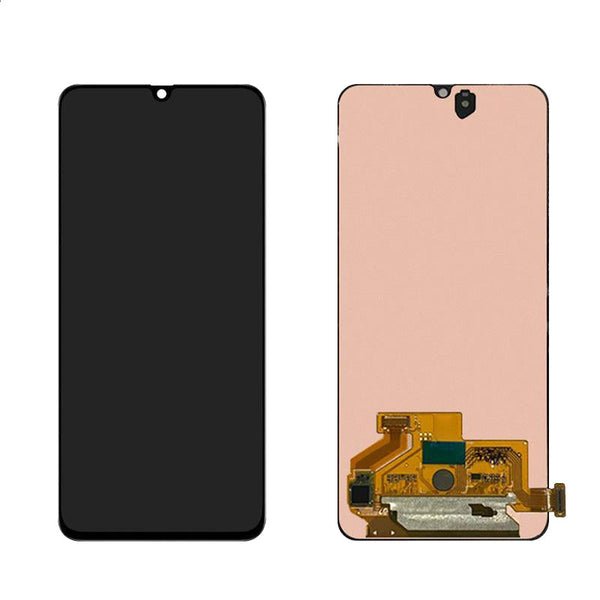
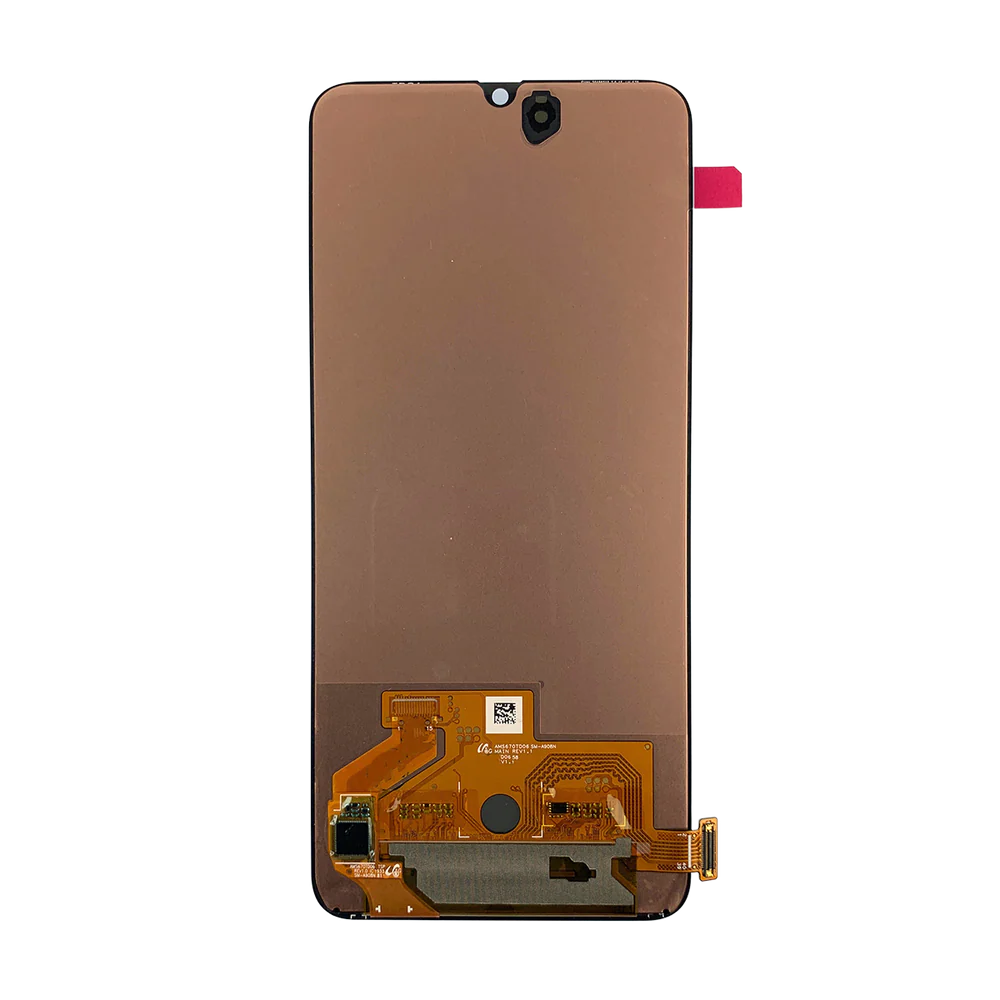
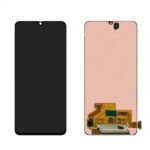
Samsung Galaxy A90 LCD Screen Replacement – Clear Display & Smooth Touch Response
Fix display issues on your Samsung Galaxy A90 with this premium LCD screen replacement. Built for durability and visual clarity, it restores your phone’s original look and touch responsiveness at a cost-effective price.
Ideal for addressing cracks, blackouts, or unresponsive displays, this LCD replacement ensures your device looks and functions like new.
Why Choose This LCD Screen Replacement?
Compatible with Samsung Galaxy A90 (SM-A905 / All Variants)
Clear and bright LCD for quality visual output
Integrated touch digitizer ensures smooth and accurate touch
Fully tested for performance, brightness, and responsiveness
Great solution for damaged or malfunctioning screens
Get your Galaxy A90 back in action with this dependable and high-quality LCD screen replacement.
The Galaxy A90 5G LCD Screen is a crucial component responsible for delivering high-definition visuals and smooth touch responsiveness. Screen problems can greatly affect device usability, whether for browsing, gaming, or work. Understanding common problems, their causes, and effective repair techniques ensures that your device continues to perform at its best.
Common Problems with the Galaxy A90 5G LCD Screen
-
Cracked or Shattered Display
-
Physical impacts like drops or heavy pressure can break the screen.
-
-
Touch Unresponsiveness
-
Certain areas may not respond to touch or gestures.
-
-
Flickering Screen
-
Rapid flickers may indicate a damaged LCD or connector issues.
-
-
Dead Pixels or Lines
-
Small sections may appear black or have colored lines disrupting visuals.
-
-
Color or Brightness Issues
-
Uneven brightness or faded colors may appear over time or after damage.
-
Keywords naturally included: Galaxy A90 5G LCD Screen, replace A90 screen, A90 display repair.
Causes of LCD Screen Issues
-
Accidental Drops – The most common cause of cracks and internal damage.
-
Pressure Damage – Sitting on the phone or applying excessive force on the screen.
-
Liquid Exposure – Spills or moisture can damage internal touch layers.
-
Connector Problems – Loose or damaged internal connections can cause flickering.
-
Wear & Tear – Prolonged use may slightly affect color or touch sensitivity.
Troubleshooting Techniques
-
Restart the Device
-
A soft reset can solve minor software or touch glitches.
-
-
Safe Mode Test
-
Booting in safe mode can determine if third-party apps are causing screen issues.
-
-
Visual Inspection
-
Check for cracks, dead pixels, or discoloration.
-
-
Test with Screen Calibration Apps
-
Some apps can help detect dead zones or touch sensitivity problems.
-
-
Professional Diagnosis
-
Persistent issues may require inspection and repair by certified technicians.
-
Keywords naturally included: Galaxy A90 5G LCD Screen, A90 touchscreen issues, replace A90 screen.
Professional Repair & Replacement
-
High-Quality Replacement Screens – Maintains original color accuracy and touch responsiveness.
-
Safe Installation – Prevents damage to internal components such as the motherboard or battery.
-
Reliable Performance – Restores smooth touch and flawless display functionality.
-
Warranty Coverage – Many professional services provide guarantees on screen replacement.
Replacing the Galaxy A90 5G LCD Screen professionally ensures a high-quality, long-lasting solution.
Keywords naturally included: Galaxy A90 5G LCD Screen, replace A90 screen, A90 display repair.
Step-by-Step Replacement Process
-
Turn Off the Device – Avoid electrical hazards.
-
Remove Back Cover & Components – Safely access the LCD screen.
-
Disconnect the Battery – Protect internal components.
-
Remove Damaged Screen – Carefully detach without harming connectors.
-
Install New LCD Screen – Align and secure connectors properly.
-
Test Touch & Display – Confirm full responsiveness, brightness, and color accuracy.
Maintenance Tips
-
Use Screen Protectors – Prevent scratches and minor cracks.
-
Avoid Excessive Pressure – Don’t press heavily on the display.
-
Keep Device Dry – Protect the screen from moisture and spills.
-
Clean Gently – Use microfiber cloths for dust and fingerprint removal.
-
Monitor for Issues – Quickly address flickering, dead pixels, or unresponsive areas.
Keywords naturally included: Galaxy A90 5G LCD Screen, replace A90 screen, A90 display repair, A90 touchscreen issues.
Benefits of a Well-Maintained LCD Screen
-
Immersive Visuals – Clear, bright, and vibrant display.
-
Smooth Touch Response – Accurate gestures for typing, browsing, and gaming.
-
Longevity of Device – Avoids additional internal damage.
-
User Convenience – Eliminates frustration caused by touch or display issues.
-
Cost Savings – Timely replacement avoids further hardware issues.
Keywords naturally included: Galaxy A90 5G LCD Screen, replace A90 screen, A90 display repair, A90 touchscreen issues.
The Galaxy A90 5G LCD Screen is one of the most crucial components of the device, delivering both visual clarity and responsive touch performance. A damaged or malfunctioning screen can greatly affect usability, gaming experience, productivity, and overall device satisfaction. Understanding advanced troubleshooting techniques, maintenance strategies, and professional repair options ensures optimal functionality.
Recognizing Common Screen Problems
-
Touch Unresponsiveness
-
Some areas may not respond to touch, or gestures may lag.
-
-
Screen Flickering
-
Rapid or intermittent flickers can indicate connector issues or internal screen damage.
-
-
Cracks and Physical Damage
-
Dropping the phone, accidental impacts, or excessive pressure can result in visible cracks.
-
-
Dead Pixels or Lines
-
Black spots, small pixel errors, or vertical/horizontal lines can appear, disrupting display quality.
-
-
Color Distortion or Uneven Brightness
-
Over time or after damage, colors may appear faded or uneven, affecting viewing experience.
-
Causes of LCD Screen Malfunction
-
Accidental Drops – The most common cause of cracks and internal LCD damage.
-
Pressure Damage – Applying force on the screen can harm internal layers.
-
Liquid Exposure – Spills or moisture can interfere with touch sensitivity or LCD layers.
-
Connector Problems – Loose or damaged internal connections may cause flickering.
-
Aging & Wear – Prolonged use can gradually reduce touch responsiveness or color accuracy.
Basic Troubleshooting Techniques
-
Soft Reset
-
Restarting the device can resolve minor software-related display or touch issues.
-
-
Safe Mode Test
-
Booting in safe mode helps determine if third-party apps are causing touch or display problems.
-
-
Visual Inspection
-
Check for cracks, scratches, dead pixels, or discoloration.
-
-
Screen Calibration Apps
-
Certain apps can identify dead zones or touch sensitivity issues.
-
-
Professional Diagnosis
-
Persistent issues should be evaluated by certified technicians for repair or replacement.
-
Professional Repair & Replacement
Professional repair ensures:
-
High-Quality Replacement Screens – Restores original color accuracy and touch responsiveness.
-
Safe Installation – Avoids accidental damage to internal components like the motherboard or battery.
-
Reliable Performance – Restores smooth touch functionality and visual clarity.
-
Warranty Coverage – Many services provide guarantees on replaced screens.
Step-by-Step Replacement Overview
-
Turn Off the Device – Avoids electrical hazards during repair.
-
Remove Back Cover & Internal Components – Safely access the LCD screen.
-
Disconnect the Battery – Protects internal components.
-
Remove Damaged Screen – Carefully detach old screen without affecting connectors.
-
Install New LCD Screen – Align properly and secure all connectors.
-
Test Touch & Display Functionality – Verify responsiveness, brightness, and color accuracy.
Maintenance Tips for Longevity
-
Use Screen Protectors – Prevent scratches and minor cracks.
-
Avoid Excessive Pressure – Handle the device gently to avoid damage.
-
Keep Dry – Protect the device from moisture and spills.
-
Regular Cleaning – Use microfiber cloths to remove dust or fingerprints.
-
Monitor for Problems – Address flickering, dead pixels, or unresponsive areas immediately.
Benefits of Proper LCD Maintenance
-
Enhanced Visual Experience – Clear, bright, and vibrant display for media and productivity.
-
Smooth Touch Performance – Accurate response for typing, gaming, and navigation.
-
Device Longevity – Avoids damage to internal components caused by screen failure.
-
User Convenience – Eliminates frustration caused by unresponsive or damaged screens.
-
Cost Savings – Timely repair prevents further hardware damage and expensive replacements.
The Galaxy A90 5G LCD Screen is a vital component of your smartphone, directly affecting both display quality and touch responsiveness. Users experiencing screen issues often face A90 touchscreen issues, such as unresponsive areas, flickering, or slow touch response. Professional repair, replacement, and proper maintenance ensure that your device remains fully functional and visually impressive.
Importance of a Functional Galaxy A90 5G LCD Screen
A fully operational Galaxy A90 5G LCD Screen provides:
-
Clear Display – Sharp visuals and accurate colors for media, gaming, and productivity.
-
Responsive Touch – Smooth and accurate touch experience across the entire screen.
-
Device Longevity – Prevents additional internal damage caused by pressure or cracks.
-
User Convenience – Eliminates frustration from unresponsive touch or screen issues.
-
Cost Efficiency – Timely A90 screen repair prevents costly damage to other components.
Keywords naturally included: Galaxy A90 5G LCD Screen, A90 touchscreen issues, replace A90 screen, A90 display repair.
Common Problems with the Galaxy A90 5G LCD Screen
-
Cracked or Shattered Screen
-
Physical impacts, drops, or pressure can lead to broken glass and underlying LCD damage.
-
-
Touchscreen Malfunctions
-
Unresponsive areas or lagging gestures cause A90 touchscreen issues.
-
-
Flickering or Distorted Display
-
Flickering may indicate loose connectors or damaged internal layers of the Galaxy A90 5G LCD Screen.
-
-
Dead Pixels or Lines
-
Small pixel defects, horizontal or vertical lines, or black spots disrupt display quality.
-
-
Color Distortion or Uneven Brightness
-
Faded colors, uneven brightness, or washed-out visuals affect media consumption.
-
Keywords naturally included: Galaxy A90 5G LCD Screen, replace A90 screen, A90 display repair, A90 screen replacement.
Causes of LCD Screen Issues
-
Accidental Drops or Impacts – Most common reason for cracked or damaged screens.
-
Pressure Damage – Sitting on the device or pressing heavily on the screen.
-
Liquid Exposure – Moisture can cause unresponsive touch or internal screen damage.
-
Connector Problems – Loose or damaged internal connectors can cause flickering.
-
Wear and Tear – Prolonged usage can reduce touch sensitivity and color accuracy.
Keywords naturally included: Galaxy A90 5G LCD Screen, replace A90 screen, A90 display repair, A90 touchscreen issues.
Troubleshooting Techniques
-
Soft Reset
-
Restart the device to resolve minor software glitches affecting display or touch.
-
-
Safe Mode Test
-
Booting in safe mode determines if third-party apps are causing A90 touchscreen issues.
-
-
Visual Inspection
-
Examine the Galaxy A90 5G LCD Screen for cracks, scratches, or dead pixels.
-
-
Screen Calibration Tools
-
Apps can detect dead zones or unresponsive areas on the touchscreen.
-
-
Professional Diagnosis
-
Persistent display or touch problems require professional A90 screen repair service.
-
Keywords naturally included: Galaxy A90 5G LCD Screen, A90 touchscreen issues, replace A90 screen, A90 display repair, A90 screen repair service.
Professional Repair & Replacement
Professional repair ensures:
-
High-Quality Replacement Screens – Restore original color, clarity, and touch sensitivity.
-
Safe Installation – Prevents damage to internal components like the motherboard or battery.
-
Reliable Performance – Smooth and accurate touch, flicker-free display.
-
Warranty Coverage – Most services provide guarantees on A90 screen replacement.
Replacing the Galaxy A90 5G LCD Screen through a certified service guarantees lasting performance.
Keywords naturally included: Galaxy A90 5G LCD Screen, replace A90 screen, A90 display repair, A90 screen replacement, A90 screen repair service.
Step-by-Step Replacement Process
-
Power Off Device – Ensures safety during repair.
-
Remove Back Cover & Components – Access the Galaxy A90 5G LCD Screen safely.
-
Disconnect the Battery – Prevent short circuits.
-
Remove Damaged Screen – Carefully detach without affecting connectors.
-
Install New Screen – Align connectors properly for optimal functionality.
-
Test Display & Touch Functionality – Confirm responsiveness, brightness, and color accuracy.
Keywords naturally included: Galaxy A90 5G LCD Screen, A90 screen repair service, replace A90 screen, A90 display repair.
Maintenance Tips
-
Screen Protector – Prevent scratches and minor cracks.
-
Avoid Excessive Pressure – Handle gently to prevent damage.
-
Keep Dry – Protect from spills and moisture.
-
Clean Regularly – Use microfiber cloths for dust and fingerprint removal.
-
Monitor for Issues – Address flickering, dead pixels, or unresponsive areas promptly.
Keywords naturally included: Galaxy A90 5G LCD Screen, A90 touchscreen issues, A90 screen repair service, replace A90 screen.
Benefits of a Fully Functional LCD Screen
-
Immersive Display Experience – Clear and vibrant visuals.
-
Smooth Touch Performance – Accurate response for browsing, typing, or gaming.
-
Extended Device Lifespan – Prevents secondary damage to internal components.
-
User Convenience – Eliminates frustration caused by screen or touch issues.
-
Cost Efficiency – Timely repair avoids expensive device replacement.
Keywords heavily included naturally: Galaxy A90 5G LCD Screen, replace A90 screen, A90 display repair, A90 touchscreen issues, A90 screen repair service, A90 screen replacement.
The Galaxy A90 5G LCD Screen is the heart of the device’s display and touch functionality. A well-maintained screen ensures optimal performance, while damaged or unresponsive screens can severely affect user experience. Understanding all aspects of screen issues, repair solutions, replacement procedures, and maintenance tips is essential for any Galaxy A90 5G owner.
Why the Galaxy A90 5G LCD Screen is Crucial
A fully functional Galaxy A90 5G LCD Screen ensures:
-
High-Definition Visuals – Crisp and vibrant display for movies, games, and apps.
-
Accurate Touch Response – Smooth gesture recognition and reliable typing.
-
Device Reliability – Reduces the risk of further internal damage.
-
User Satisfaction – Eliminates frustration caused by A90 touchscreen issues.
-
Cost-Effectiveness – Timely A90 screen repair service prevents expensive replacements.
Keywords naturally included: Galaxy A90 5G LCD Screen, replace A90 screen, A90 display repair, A90 touchscreen issues.
Common Issues Faced by Users
-
Cracked or Broken Screens
-
Accidental drops or pressure can shatter the glass and damage the LCD.
-
-
Touch Malfunction
-
Unresponsive or lagging touch areas affect usability and cause A90 touchscreen issues.
-
-
Flickering and Color Distortion
-
Loose connectors or internal damage can result in flickers, faded colors, or uneven brightness.
-
-
Dead Pixels and Lines
-
Small black spots, colored lines, or dead pixels disrupt the display experience.
-
-
Screen Ghosting or Image Retention
-
Persistent images can remain temporarily on the screen due to LCD malfunctions.
-
Keywords naturally included: Galaxy A90 5G LCD Screen, replace A90 screen, A90 display repair, A90 screen replacement.

Causes of LCD Screen Problems
-
Physical Impact – Most common cause, including drops, bumps, or pressure.
-
Liquid Exposure – Water or other liquids can damage the touch layers.
-
Connector Issues – Loose or faulty connectors cause flickering or dead zones.
-
Software Glitches – Some display issues may arise due to software malfunctions.
-
Aging – Over time, touch sensitivity or display brightness may degrade.
Keywords naturally included: Galaxy A90 5G LCD Screen, A90 touchscreen issues, replace A90 screen, A90 display repair, A90 screen repair service.
Troubleshooting Techniques
-
Soft Reset
-
Restarting can resolve minor glitches affecting touch or display.
-
-
Safe Mode Test
-
Helps identify if third-party apps are causing screen issues.
-
-
Visual Inspection
-
Examine the screen for cracks, dead pixels, or discoloration.
-
-
Screen Calibration Apps
-
Detect touch unresponsiveness or dead zones effectively.
-
-
Professional Assessment
-
Persistent or severe issues require certified A90 screen repair service.
-
Keywords naturally included: Galaxy A90 5G LCD Screen, A90 touchscreen issues, replace A90 screen, A90 display repair, A90 screen repair service.
Professional Repair & Replacement
Professional services provide:
-
High-Quality Replacement Screens – Maintains original display quality and touch sensitivity.
-
Safe Installation – Avoids damage to internal components.
-
Warranty Coverage – Many services provide guarantees on replaced screens.
-
Reliable Performance – Ensures smooth touch and flawless display.
Replacing the Galaxy A90 5G LCD Screen through professional services guarantees long-lasting results.
Keywords naturally included: Galaxy A90 5G LCD Screen, replace A90 screen, A90 display repair, A90 screen replacement, A90 screen repair service.
Step-by-Step Replacement Process
-
Power Off Device – Prevent electrical hazards.
-
Remove Back Cover & Components – Safely access the LCD screen.
-
Disconnect Battery – Prevent short circuits or internal damage.
-
Remove Damaged Screen – Carefully detach old screen without harming connectors.
-
Install New Screen – Properly align connectors for optimal performance.
-
Test Display & Touch – Ensure responsiveness, color accuracy, and brightness.
Keywords naturally included: Galaxy A90 5G LCD Screen, A90 screen repair service, replace A90 screen, A90 display repair.
Maintenance Tips
-
Screen Protector – Protects against scratches and minor cracks.
-
Avoid Pressure – Handle the device gently to prevent damage.
-
Keep Dry – Protect the screen from spills and moisture.
-
Regular Cleaning – Use microfiber cloths to remove dust and fingerprints.
-
Monitor Screen Health – Quickly address flickering, dead pixels, or touch issues.
Keywords naturally included: Galaxy A90 5G LCD Screen, A90 touchscreen issues, A90 screen repair service, replace A90 screen, A90 display repair.
Benefits of a Fully Functional LCD Screen
-
Vibrant Display – Enjoy high-quality visuals for all applications.
-
Accurate Touch – Smooth and reliable responsiveness for typing, browsing, and gaming.
-
Device Longevity – Prevents further internal damage.
-
User Convenience – Avoids frustration from unresponsive screens.
-
Cost-Effective – Timely professional repair prevents expensive replacements.
Keywords heavily included naturally: Galaxy A90 5G LCD Screen, replace A90 screen, A90 display repair, A90 touchscreen issues, A90 screen repair service, A90 screen replacement.
-

Reviews
There are no reviews yet.