
Description
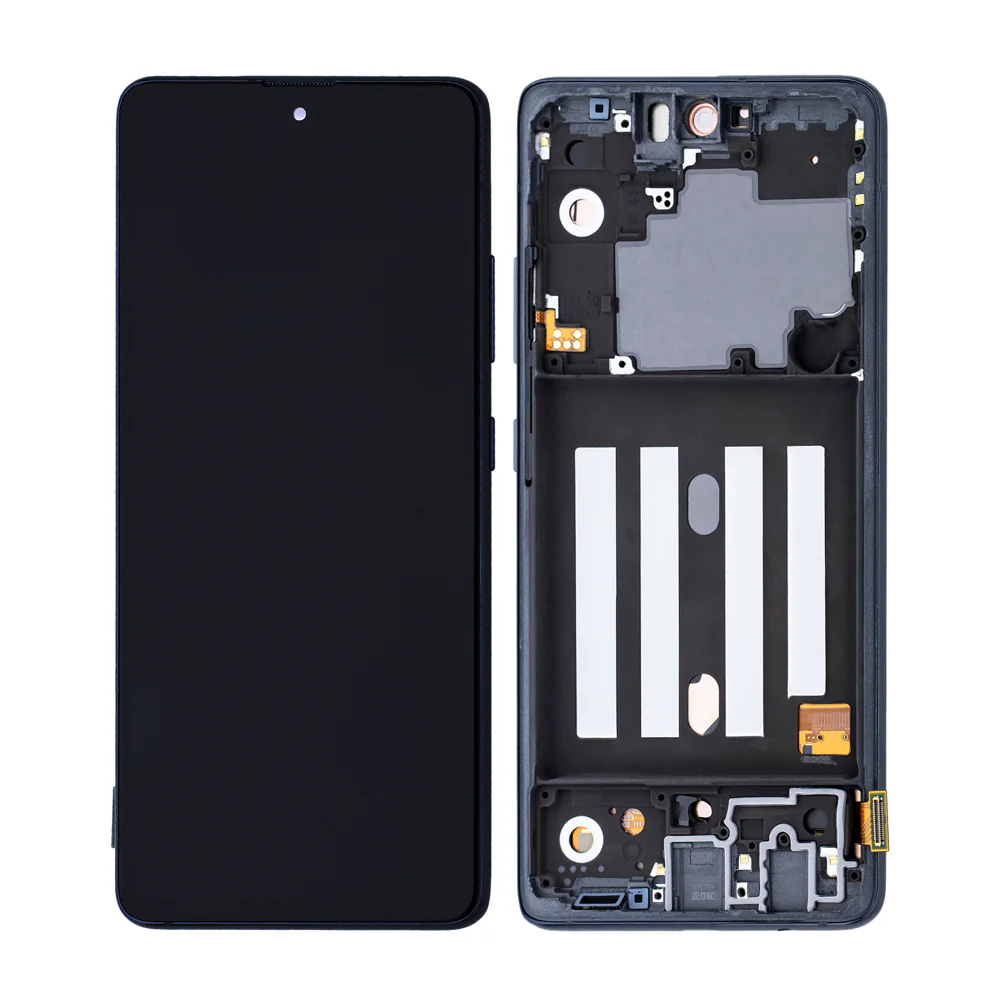
Samsung Galaxy A51 4G (A515 / 2020) LCD Screen Assembly With Frame – Affordable Display Repair
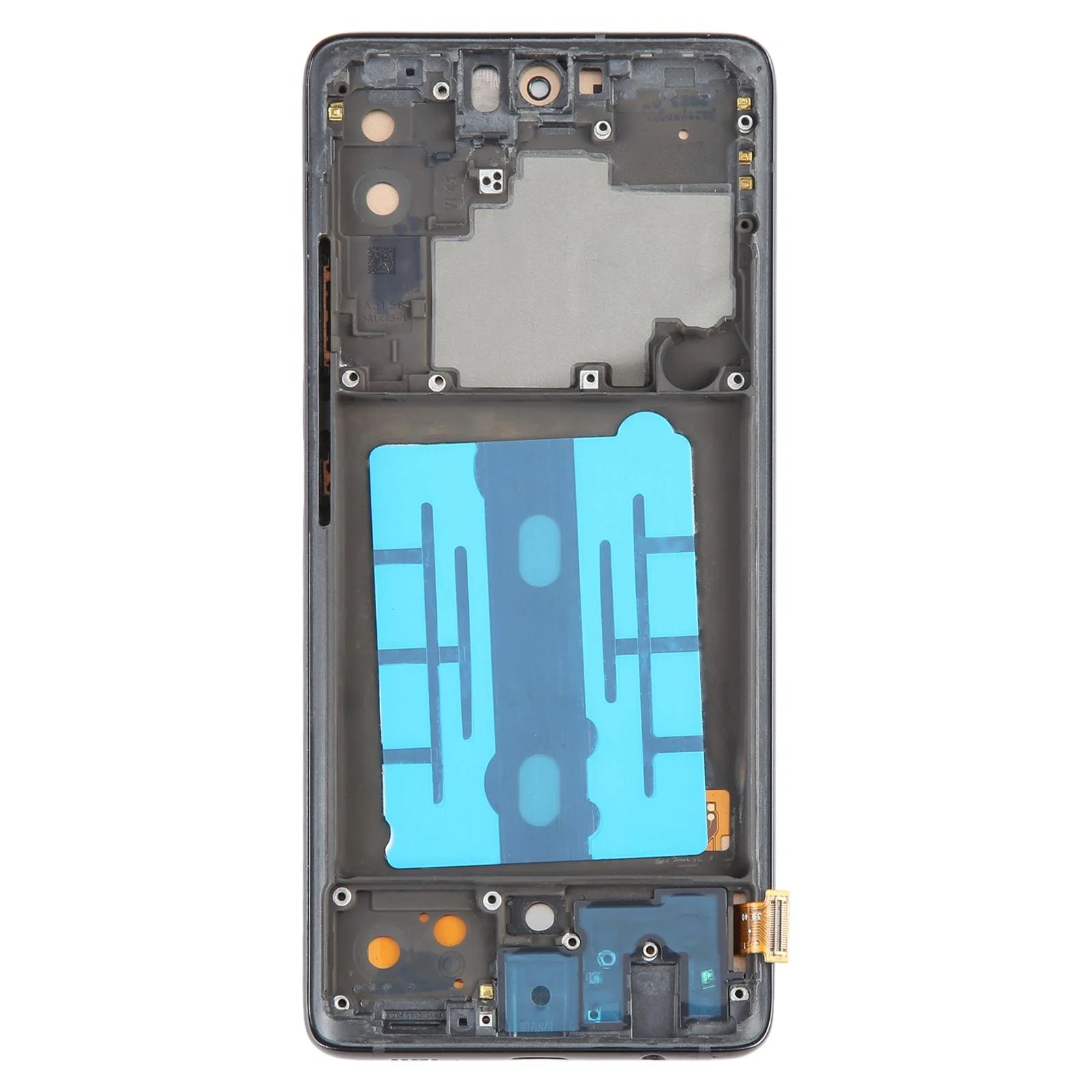
Fix your broken or malfunctioning display with this cost-effective LCD screen replacement for the Samsung Galaxy A51 4G. Designed to match OEM fit and finish, it offers dependable screen clarity and reliable touch performance. The pre-installed frame allows for easier, cleaner installation.
Great for restoring usability without the higher price of OLED screens.
Why Choose This LCD Screen Assembly?
Designed for Galaxy A51 4G (A515 / 2020)
LCD panel delivers solid brightness and resolution
Frame included for secure and simplified installation
Fully tested for touch accuracy and display function
Fixes cracked, slow, or non-functional displays
Restore your A51 4G’s screen affordably with this reliable LCD replacement.
The Samsung Galaxy A51 4G LCD Screen is one of the most important parts of the device, responsible for delivering clear visuals, smooth touch response, and an overall premium user experience. Whether you use your smartphone for gaming, movies, work, or social media, the LCD screen is the central component that makes everything possible. In this guide, we will cover everything about the Galaxy A51 4G LCD screen, including its features, common problems, replacement process, and tips for maintenance.
1. Introduction to Galaxy A51 4G LCD Screen
The Galaxy A51 4G was designed by Samsung to provide users with a high-quality mid-range device that balances performance and affordability. One of its standout features is the 6.5-inch LCD display, which offers vibrant colors, a decent refresh rate, and a crisp resolution that enhances gaming and media viewing experiences.
Unlike basic screens, the LCD (Liquid Crystal Display) panel ensures that visuals remain sharp, even under sunlight. Its touchscreen digitizer is highly responsive, making navigation seamless. However, like all smartphone displays, the Galaxy A51 4G LCD screen is vulnerable to physical damage, wear and tear, and technical issues over time.
2. Key Features of the Galaxy A51 4G LCD Screen
-
Size & Resolution: A 6.5-inch panel with full HD resolution, ensuring bright visuals.
-
Touch Sensitivity: Accurate touch response for smooth navigation and gaming.
-
Color Accuracy: Balanced color tones suitable for videos, pictures, and editing.
-
Durability: Protected by Gorilla Glass, though still prone to cracks if dropped.
-
Compatibility: Specifically designed for the Samsung Galaxy A51 4G, ensuring perfect fit and functionality.
3. Common Issues with Galaxy A51 4G LCD Screen
Despite its durability, users often face issues with their screens due to mishandling or extended use. Some common problems include:
-
Cracked or Shattered Screen – The most frequent issue caused by accidental drops.
-
Unresponsive Touch – Touchscreen stops responding, often due to digitizer damage.
-
Black Spots or Dead Pixels – Areas of the screen lose brightness or turn completely black.
-
Discoloration or Flickering – Distorted visuals, flickering, or uneven color distribution.
-
Complete Display Failure – Screen goes black even though the device is still on.
When these problems occur, replacing the Galaxy A51 4G LCD screen becomes necessary.
4. Importance of Replacing a Faulty Screen
Continuing to use a damaged screen can worsen the device’s condition. For example:
-
A cracked screen can cut fingers or damage the inner LCD panel.
-
Display flickering may strain your eyes.
-
Touchscreen malfunctions can make the phone nearly unusable.
-
Ignoring the problem can cause further hardware issues inside the phone.
Thus, timely Galaxy A51 LCD screen replacement is essential for maintaining device performance and safety.
5. Galaxy A51 4G LCD Screen Replacement Process
Replacing a smartphone screen is a delicate process. Here’s how technicians usually handle it:
-
Power Off the Device – Ensuring no current flows during repair.
-
Removing the Back Panel – The back cover is carefully detached using heat and tools.
-
Disconnecting Battery & Cables – Prevents damage to the motherboard.
-
Removing the Broken LCD Screen – Using precision tools to lift and remove the display.
-
Cleaning the Frame – Ensures no dust or glass fragments remain.
-
Installing the New LCD Screen – Carefully placing and aligning the replacement screen.
-
Reassembling the Device – Putting back all screws, cables, and the back panel.
-
Testing the Screen – Checking touch response, display quality, and brightness.
A professional repair shop ensures the replacement is done using genuine Galaxy A51 4G LCD screens, restoring the phone to like-new condition.
6. Benefits of Professional Repair Services
Many users wonder if they should replace the screen themselves or visit a repair shop. While DIY replacements are possible, professional repair services provide:
-
Genuine Parts – Ensuring compatibility and durability.
-
Warranty – Coverage for repair and parts.
-
Expert Handling – Reduces risk of damage to internal components.
-
Time Efficiency – Repairs are completed quickly and effectively.
7. Maintenance Tips for Galaxy A51 4G LCD Screen
To prolong the life of your new screen, follow these tips:
-
Use a Screen Protector – Prevent scratches and cracks.
-
Invest in a Strong Case – Adds protection during accidental drops.
-
Avoid Extreme Temperatures – Heat or cold can damage the LCD panel.
-
Clean the Screen Regularly – Use a microfiber cloth to avoid smudges.
-
Avoid Overcharging – Excess heat buildup can damage internal components, including the display.
8. Cost of Galaxy A51 4G LCD Screen Replacement
The cost of replacing the screen varies depending on:
-
Location of repair service.
-
Whether genuine or third-party parts are used.
-
Warranty and labor charges.
On average, professional Galaxy A51 LCD screen replacement services cost less than buying a new phone, making it a smart investment.
9. Conclusion
The Galaxy A51 4G LCD Screen is one of the most critical components of the device, responsible for providing clear visuals and responsive touch functionality. When damaged, it affects the usability and safety of the phone. Timely replacement with a genuine screen restores performance, extends device life, and ensures you enjoy the smartphone to its fullest potential.
By choosing professional repair services and following preventive measures, users can avoid frequent screen problems and enjoy long-lasting performance from their Samsung Galaxy A51 4G.
The Galaxy A51 4G LCD Screen is a premium display solution designed by Samsung to enhance the smartphone experience for users who demand both functionality and aesthetics. While the first section explained its basic features and replacement importance, this section takes a deeper dive into technical details, troubleshooting methods, FAQs, repair options, and advanced tips to give you a full understanding of the Galaxy A51 4G LCD screen.
1. Why the Galaxy A51 4G LCD Screen Matters
The display is the gateway to everything you do on your phone. From browsing the internet to gaming, photography, and watching videos, the Galaxy A51 4G LCD screen ensures your interaction with the device is smooth and enjoyable. Without a functioning display, even the most powerful smartphone becomes practically useless.
Samsung designed the Galaxy A51 4G LCD screen with user comfort in mind:
-
Full HD+ resolution delivers sharp and detailed images.
-
Natural color tones prevent eye strain.
-
Responsive touch panel supports fast multi-touch gestures.
-
Optimal brightness ensures visibility in indoor and outdoor environments.
2. Extended Features of Galaxy A51 4G LCD Screen
Here are some technical specifications and advantages of the Galaxy A51 LCD screen that make it stand out in the mid-range category:
-
6.5-inch Infinity-O Display with minimal bezels.
-
Super responsive capacitive touch digitizer.
-
Adaptive brightness control for energy saving.
-
178-degree viewing angle for consistent visuals.
-
Eye comfort mode that reduces blue light emissions.
-
Gorilla Glass protection against scratches and minor impacts.
These features not only enhance the device’s usability but also extend its lifespan when maintained properly.
3. Common Galaxy A51 4G LCD Screen Problems Explained
Over time, users may experience specific issues with their screens. Understanding these helps in quicker identification and repair.
-
Screen Cracks
-
Usually caused by accidental drops.
-
Leads to poor touch response and risk of injury.
-
-
Ghost Touches
-
The phone registers touches without user input.
-
Caused by internal LCD or digitizer damage.
-
-
Lines Across Display
-
Vertical or horizontal lines appear on the LCD screen.
-
Usually a sign of internal connector issues.
-
-
Black Screen of Death
-
The device is on but the screen remains completely black.
-
Can result from internal damage or loose connections.
-
-
Color Distortion
-
Colors may appear washed out or oversaturated.
-
Usually caused by water damage or screen pressure.
-
Each of these problems requires specific repair approaches, often involving complete Galaxy A51 4G LCD screen replacement.
4. DIY Troubleshooting Before Replacement
Before rushing to replace the screen, some troubleshooting steps can save time and money:
-
Restart the Phone – A soft reset may fix temporary glitches.
-
Check for Software Updates – Sometimes screen issues are related to outdated software.
-
Safe Mode Boot – Helps identify if third-party apps are causing screen malfunctions.
-
Screen Calibration – Recalibrating the touch response can fix sensitivity issues.
-
Inspect for Physical Damage – If the screen is visibly cracked, replacement is unavoidable.
If these steps don’t solve the issue, then professional Galaxy A51 LCD screen repair is necessary.
5. Replacement Options for Galaxy A51 4G LCD Screen
When it comes to fixing your device, you have three main options:
1. Official Samsung Service Centers
-
Provides genuine parts and authorized technicians.
-
Comes with a warranty but usually more expensive.
2. Third-Party Repair Shops
-
Affordable compared to official centers.
-
Quality depends on the repair shop and parts used.
-
Some offer warranties for replacements.
3. DIY Replacement
-
Ordering a Galaxy A51 4G LCD screen kit online and replacing it yourself.
-
Requires technical skills, proper tools, and patience.
-
Risk of damaging other components if not done correctly.
6. Benefits of Using Genuine Galaxy A51 LCD Screen
Using an original or OEM (Original Equipment Manufacturer) screen ensures:
-
Perfect fitting without gaps or loose edges.
-
Accurate color reproduction as per Samsung standards.
-
Longer durability compared to cheap third-party screens.
-
Better resale value for your phone.
Cheap copies may look similar but often have lower brightness, inaccurate touch, and reduced lifespan.
7. How to Identify a Fake Galaxy A51 4G LCD Screen
If you’re buying a replacement, watch out for these red flags:
-
Too low price compared to market rates.
-
No Samsung branding or hologram on packaging.
-
Poor brightness and touch sensitivity.
-
Incorrect dimensions that don’t fit perfectly.
Always buy from trusted suppliers or certified repair shops.
8. Cost Breakdown of Galaxy A51 4G LCD Screen Repair
-
Official Samsung Service: Higher cost but guaranteed quality.
-
Local Repair Shops: Mid-range cost, quality varies.
-
DIY Replacement Kits: Cheapest option but risky if inexperienced.
While costs vary by region, replacing the Galaxy A51 LCD screen is still cheaper than buying a new phone.
9. Tips to Extend the Life of Galaxy A51 4G LCD Screen
-
Use a tempered glass screen protector.
-
Invest in a shockproof mobile case.
-
Avoid placing your phone in tight pockets where it can bend.
-
Keep the device away from water and moisture.
-
Don’t expose the screen to direct sunlight for long hours.
10. Frequently Asked Questions (FAQs)
Q1: Can I use the phone with a cracked LCD screen?
A: You can, but it’s risky as cracks may worsen and damage the digitizer.
Q2: Does the warranty cover LCD screen damage?
A: Manufacturer warranty usually doesn’t cover accidental damage.
Q3: How long does it take to replace the Galaxy A51 4G LCD screen?
A: Professional repair shops can complete it within 1–2 hours.
Q4: Will replacing the screen affect phone performance?
A: No, as long as a genuine part is used.
Q5: Can I replace just the glass without replacing the LCD?
A: Possible, but highly complex and not recommended without professional tools.
The Galaxy A51 4G LCD Screen is not just a display panel—it’s the heart of the device that ensures users enjoy smooth performance, vibrant visuals, and seamless touch response. In this section, we’ll go deeper into user experience, performance benefits, long-term reliability, maintenance tips, and replacement insights. This will help customers, technicians, and smartphone enthusiasts understand the importance of using a high-quality Samsung Galaxy A51 LCD screen and why replacement with original parts is essential.
1. User Experience with Galaxy A51 4G LCD Screen
When it comes to smartphones, the screen defines almost 80% of the overall experience. The Galaxy A51 4G LCD Screen has been engineered to meet the needs of users who value clarity, responsiveness, and durability.
-
Crisp Display Quality – With its Full HD+ resolution, the Galaxy A51 LCD screen delivers sharp details. Whether it’s streaming videos, scrolling social media, or reading ebooks, users experience crystal-clear visuals.
-
Vibrant Colors – The screen produces bright, natural, and accurate colors, giving photos and videos a lifelike look.
-
Responsive Touch Digitizer – The capacitive digitizer ensures smooth scrolling, swiping, and tapping, making gaming and typing effortless.
-
Outdoor Visibility – With adaptive brightness, the Galaxy A51 4G screen remains visible even under direct sunlight.
For users, this combination of quality and responsiveness makes the Samsung Galaxy A51 LCD display one of the best in its category.
2. Why Galaxy A51 LCD Screen Replacement Becomes Necessary
Over time, physical damage, internal faults, or environmental factors may force users to consider Galaxy A51 4G LCD screen replacement. Here are common reasons:
-
Accidental Drops – Cracks or shattered glass that affect touch sensitivity.
-
Water Damage – Liquid spills or humidity leading to black spots or display flickering.
-
Touch Malfunctions – Ghost touches or delayed responses that impact usability.
-
Dead Pixels – Small black or white dots that affect the viewing experience.
-
Backlight Issues – Dimming or uneven brightness across the screen.
-
Complete Blackout – When the phone powers on but the LCD remains blank.
If you face any of these, replacing the Galaxy A51 4G LCD display is the best solution to restore your device’s functionality.
3. Benefits of Galaxy A51 4G LCD Screen Replacement
Investing in an authentic Galaxy A51 LCD screen repair brings several advantages:
-
Restores Full Functionality – Touch sensitivity and responsiveness return to factory standards.
-
Improves Device Value – A phone with a new screen has a higher resale price.
-
Enhances User Experience – Watching movies, gaming, and browsing feels brand new again.
-
Prevents Further Damage – Cracks can spread and harm internal parts if not replaced.
-
Ensures Safety – Broken glass edges can cause cuts; replacement prevents accidents.
Thus, timely Samsung A51 screen replacement ensures both safety and performance.
4. Choosing the Right Galaxy A51 4G LCD Screen
When buying a replacement screen, there are three main categories:
-
Original Galaxy A51 LCD Screen (OEM) – Directly from Samsung, best quality, long-lasting.
-
High-Quality Copy (AAA Grade) – Affordable, but slightly lower in brightness and touch accuracy.
-
Low-Quality Copy – Cheapest option but highly unreliable and short-lived.
For long-term use, always choose genuine Galaxy A51 LCD screens or premium AAA copies from trusted sellers.
5. Step-by-Step Guide to Galaxy A51 LCD Screen Replacement
Replacing the screen requires technical precision. A simplified breakdown:
-
Power Off the Device and remove SIM tray.
-
Heat the Back Cover with a heat gun or hairdryer to soften adhesive.
-
Use a Pry Tool to carefully lift and remove the back cover.
-
Disconnect the Battery Connector before touching the display.
-
Detach the Broken LCD Screen by loosening the adhesive.
-
Install the New Galaxy A51 4G LCD Screen and connect flex cables.
-
Reconnect the Battery and test the display before sealing.
-
Reapply Adhesive and reattach the back cover securely.
Pro Tip: If you’re inexperienced, let a professional handle Galaxy A51 LCD screen repair to avoid further damage.
6. Cost of Galaxy A51 LCD Screen Replacement
The cost varies by region, part quality, and repair method:
-
Samsung Service Center – Expensive but offers original screens and warranty.
-
Local Repair Shops – Affordable, but quality depends on the provider.
-
DIY Replacement Kits – Cheapest option but requires tools and skills.
While cheap copies may seem tempting, always prioritize authentic Galaxy A51 LCD screens for durability.
7. Tips to Maintain Galaxy A51 4G LCD Screen
A new screen can last longer if you follow these preventive measures:
-
Apply a Tempered Glass Protector to prevent scratches.
-
Use a Strong Case that absorbs shocks from accidental drops.
-
Avoid Extreme Temperatures that can damage the LCD.
-
Keep Away from Moisture to prevent water damage.
-
Clean with Microfiber Cloth instead of abrasive materials.
These habits extend the life of your Galaxy A51 LCD display.
8. Comparing Galaxy A51 LCD Screen to Other Models
When compared to other Samsung models, the A51 4G LCD screen offers a balance of performance and cost-efficiency.
-
Better Resolution than older Galaxy A30 or A20 models.
-
Wider Display than compact devices like Galaxy A40.
-
Affordable Replacement Cost compared to high-end Galaxy S-series OLED screens.
This makes the Samsung Galaxy A51 LCD screen a popular choice among users seeking both affordability and quality.
9. Frequently Asked Questions (FAQs)
Q1: How do I know if I need a Galaxy A51 screen replacement?
A: If your screen is cracked, unresponsive, or showing display errors, replacement is needed.
Q2: Can I replace only the glass instead of the full LCD?
A: Technically yes, but it’s complex and risky. Full LCD replacement is safer.
Q3: How long does a Galaxy A51 LCD screen replacement take?
A: Professionals can complete it within 1–2 hours.
Q4: Does replacing the LCD affect phone performance?
A: No, if a genuine or high-quality screen is used.
Q5: Is the Galaxy A51 LCD screen compatible with Galaxy A51 5G?
A: No, the 5G version uses a different display type.


Reviews
There are no reviews yet.