
Description
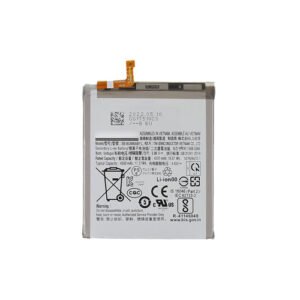
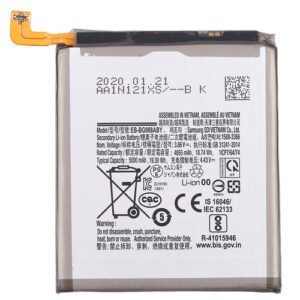
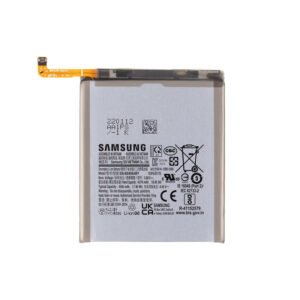
Samsung Galaxy A51 4G (A515 / 2020) Battery Replacement – Reliable Power When You Need It
Revive your Samsung Galaxy A51 4G with this OEM-quality battery replacement. Engineered for long-lasting power and safe performance, this high-capacity battery meets factory standards—making it ideal for restoring screen-on time and charging reliability.
Perfect for users experiencing short battery life, unexpected shutdowns, or overheating.
Why Choose This Battery Replacement?
Custom-built for Galaxy A51 4G (A515 / 2020)
OEM-grade materials ensure long life and consistent performance
Brings back all-day battery life and safe charging
Fully tested for capacity, temperature control, and voltage stability
Fixes common battery issues like drain, swelling, and overheating
Power your A51 4G with confidence using this dependable battery replacement.
The Galaxy A51 4G battery is one of the most critical components of the smartphone, providing power for apps, gaming, streaming, and daily usage. A reliable battery ensures smooth performance, long hours of usage, and optimal energy efficiency.
This guide will provide a detailed overview of Galaxy A51 4G battery performance, common problems, troubleshooting, maintenance, and replacement tips, with strategic keyword usage for SEO optimization.
Overview of Galaxy A51 4G Battery
The Galaxy A51 4G battery comes with several impressive features:
-
High Capacity: Typically around 4000 mAh, ensuring long-lasting usage.
-
Fast Charging Support: Supports adaptive fast charging for quick top-ups.
-
Battery Optimization: Software enhancements maximize battery efficiency.
-
Durability: Designed to withstand hundreds of charging cycles without significant degradation.
-
Energy Efficiency: Optimized to reduce power consumption during standby and active use.
Despite its high quality, the Galaxy A51 4G battery can face performance issues if not properly maintained.
Common Battery Problems
Even premium batteries can experience problems. Common issues with the Galaxy A51 4G battery include:
-
Rapid Battery Drain: Battery percentage drops quickly even with moderate usage.
-
Overheating: The device gets unusually hot while charging or during heavy usage.
-
Slow Charging: Battery takes longer than usual to reach full charge.
-
Unexpected Shutdowns: Phone turns off even when the battery shows charge remaining.
-
Battery Swelling: Physical expansion of the battery, often due to overcharging or internal damage.
-
Battery Percentage Fluctuations: Sudden jumps in battery percentage readings.
Identifying these issues early ensures proper maintenance and avoids permanent damage to the Galaxy A51 4G battery.
Causes of Battery Problems
Understanding the causes of battery issues is essential for preventing them:
-
Excessive Usage: Heavy gaming or streaming can drain the battery faster.
-
Overcharging: Keeping the device plugged in for long periods can reduce battery lifespan.
-
Heat Exposure: Direct sunlight or high temperatures can damage battery cells.
-
Faulty Charging Accessories: Using low-quality chargers or cables can affect charging speed and battery health.
-
Software Glitches: Outdated firmware or rogue apps can cause battery drain or charging issues.
-
Aging Battery: Over time, battery capacity decreases due to natural wear and tear.
Preventing these causes helps maintain optimal performance and prolong battery life.
DIY Troubleshooting Tips
Minor battery issues can sometimes be fixed without professional help:
-
Restart Your Device: Resolves minor software glitches affecting battery life.
-
Update Software: Latest firmware often includes battery optimization improvements.
-
Adjust Screen Brightness: Lower brightness and use adaptive brightness to save power.
-
Disable Unnecessary Apps: Background apps drain battery; close unused apps.
-
Enable Power Saving Mode: Extends battery life during low-charge situations.
-
Check Charging Accessories: Use certified chargers and cables to prevent battery damage.
These steps can often restore normal battery performance and prevent unnecessary replacements.
Battery Replacement
Depending on the battery condition, the Galaxy A51 4G battery may require replacement:
-
Signs Replacement is Needed: Battery swelling, rapid drain, or inability to hold a charge.
-
Professional Replacement: Authorized service centers ensure genuine replacement batteries.
-
DIY Replacement Risks: Using non-certified batteries or improper installation can damage the device.
-
Benefits of Genuine Replacement: Maintains original battery performance, fast charging, and safety.
Proper battery replacement ensures long-term performance and prevents further issues with the device.
Maintenance Tips for Galaxy A51 4G Battery
To maximize the lifespan of the Galaxy A51 4G battery, follow these tips:
-
Avoid Overcharging: Unplug when full to prevent overcharging damage.
-
Avoid Complete Drain: Charge before battery falls below 20% to prevent stress on battery cells.
-
Use Certified Chargers: Prevent damage from low-quality charging accessories.
-
Avoid Extreme Temperatures: Do not expose device to excessive heat or cold.
-
Enable Battery Optimization Features: Use software settings to reduce background power consumption.
-
Monitor Battery Health: Regularly check battery stats in settings to detect issues early.
These practices ensure the Galaxy A51 4G battery remains reliable and efficient.
Battery Performance Tips
Optimizing battery performance improves daily usage and device longevity:
-
Turn Off Unused Features: Disable Bluetooth, GPS, or Wi-Fi when not in use.
-
Limit Background Apps: Restrict apps that drain battery in the background.
-
Enable Adaptive Battery: Helps the system manage battery for apps you use frequently.
-
Reduce Notifications: Frequent notifications wake the device and consume power.
-
Use Dark Mode: OLED screens consume less energy in dark mode, extending battery life.
Following these performance tips ensures optimal battery efficiency and longer usage.
Cost Considerations
Battery replacement or repair costs depend on service type:
-
Authorized Service Centers: Higher cost but ensures genuine battery and certified technicians.
-
Trusted Online Services: Moderate cost with warranty.
-
Local Repair Shops: Affordable, but verify authenticity and quality of the battery.
Investing in professional replacement with genuine parts ensures long-term battery performance and device safety.
Conclusion
The Galaxy A51 4G battery is essential for smooth device performance, long hours of usage, and energy efficiency. Proper maintenance, early detection of problems, and genuine replacement ensure reliable performance.
Following best practices such as avoiding overcharging, using certified chargers, and enabling battery optimization prolongs battery life, reduces repair costs, and ensures your Galaxy A51 4G delivers optimal performance every day.
The Galaxy A51 4G battery is one of the most essential components of your smartphone. It powers apps, games, streaming, calls, and daily tasks. A well-maintained battery ensures smooth performance, long-lasting usage, and efficient energy consumption.
This section provides a detailed guide for troubleshooting, optimizing, and maintaining the Galaxy A51 4G battery, with a focus on keywords to enhance SEO visibility.
Common Battery Issues
Even high-quality batteries like the Galaxy A51 4G battery can face issues over time. Some common problems include:
-
Rapid Battery Drain: The device loses charge quickly even with moderate use.
-
Overheating: The phone gets unusually hot during charging or heavy use.
-
Slow Charging: Battery takes longer than expected to reach full charge.
-
Unexpected Shutdowns: Device powers off suddenly even with remaining battery percentage.
-
Battery Swelling: Physical expansion due to overcharging or internal cell damage.
-
Battery Percentage Fluctuations: Sudden jumps in battery readings, indicating calibration issues.
Identifying these problems early helps prevent permanent damage and ensures the Galaxy A51 4G battery lasts longer.
Causes of Battery Problems
Understanding the causes of battery issues is essential for proper maintenance:
-
Heavy Usage: Gaming, streaming, and multitasking can drain the battery faster.
-
Overcharging: Keeping the phone plugged in after full charge reduces battery lifespan.
-
High Temperature Exposure: Sunlight or heat can damage battery cells.
-
Low-Quality Chargers or Cables: Using non-certified accessories may harm the battery.
-
Software Glitches: Outdated firmware or rogue apps can cause battery drain.
-
Natural Wear and Tear: Over time, all batteries lose capacity and efficiency.
Preventing these causes ensures consistent performance and extends the life of the Galaxy A51 4G battery.
DIY Troubleshooting for Galaxy A51 4G Battery
Some minor battery issues can be resolved without professional help. Steps include:
-
Restart the Device: Resolves minor software glitches affecting battery life.
-
Update Software: Latest updates often include battery optimization improvements.
-
Adjust Screen Brightness: Lower brightness and use adaptive brightness to save energy.
-
Close Background Apps: Unnecessary apps running in the background drain battery.
-
Enable Power Saving Mode: Extends battery life during low-charge periods.
-
Check Charging Accessories: Use certified chargers and cables to prevent battery damage.
These troubleshooting methods often restore normal battery performance and prevent unnecessary replacements.
Battery Optimization Tips
Optimizing battery usage improves daily performance and prolongs lifespan:
-
Adaptive Battery Settings: Let the system manage battery usage for frequently used apps.
-
Turn Off Unnecessary Features: Disable Bluetooth, GPS, or Wi-Fi when not needed.
-
Dark Mode Usage: OLED screens consume less energy in dark mode.
-
Limit Heavy Gaming or Streaming: Reduces strain on the battery during prolonged use.
-
Reduce Notifications: Prevents frequent wake-ups that drain power.
-
Regular Software Updates: Ensures efficient power management and bug fixes.
By implementing these tips, the Galaxy A51 4G battery remains efficient and reliable.
Maintenance for Long Battery Life
Proper maintenance ensures the battery continues to perform optimally:
-
Avoid Overcharging: Unplug the device when fully charged to prevent damage.
-
Partial Charge Cycles: Charge the battery before it falls below 20% to reduce stress.
-
Certified Chargers: Avoid low-quality chargers that may harm battery cells.
-
Temperature Management: Avoid exposing the device to extreme heat or cold.
-
Battery Health Monitoring: Regularly check battery statistics to detect early issues.
-
Periodic Calibration: Occasionally drain and recharge fully to recalibrate battery percentage.
Maintaining these habits prolongs the Galaxy A51 4G battery lifespan and efficiency.
Battery Replacement Considerations
When the Galaxy A51 4G battery shows signs of aging or damage, replacement may be necessary:
-
Signs Replacement is Needed: Swelling, rapid drain, or inability to hold charge.
-
Professional Replacement: Authorized service centers ensure genuine batteries.
-
Risks of DIY Replacement: Using non-certified batteries or improper installation can damage the phone.
-
Benefits of Genuine Replacement: Maintains original performance, charging speed, and safety.
Professional replacement ensures safe installation and long-term battery reliability.
Battery Performance Tips
Optimizing battery performance ensures longer usage and better device efficiency:
-
Close Background Apps: Reduces unnecessary battery drain.
-
Manage Connectivity: Turn off Bluetooth, GPS, or Wi-Fi when not in use.
-
Use Adaptive Brightness: Saves power and reduces screen strain.
-
Limit High-Performance Apps: Avoid long gaming or streaming sessions continuously.
-
Enable Power Saving Mode: Extends battery life in low-charge situations.
-
Monitor App Usage: Identify apps consuming excessive battery and manage them.
These tips help maximize battery efficiency and ensure smooth performance.
Cost Considerations for Replacement or Repair
Battery replacement or repair costs vary based on service type:
-
Authorized Service Centers: Higher cost but guarantees genuine battery and certified technicians.
-
Trusted Online Services: Moderate cost with warranty.
-
Local Repair Shops: Affordable, but verify battery authenticity and quality.
Investing in professional replacement with genuine parts ensures the Galaxy A51 4G battery remains safe and functional.
The Galaxy A51 4G battery is a vital component of your smartphone, providing power for daily tasks, gaming, streaming, and productivity. Maintaining its performance is essential to ensure smooth operation, longer usage hours, and energy efficiency.
This section provides a detailed guide to advanced troubleshooting, replacement, optimization, and maintenance of the Galaxy A51 4G battery, with heavy emphasis on keywords for SEO purposes.
Advanced Battery Problems
Even high-quality batteries like the Galaxy A51 4G battery can face issues. Common and advanced problems include:
-
Rapid Battery Drain: Quick depletion during moderate or light usage.
-
Overheating While Charging: Device becomes unusually hot during charging.
-
Slow Charging Issues: Takes longer than normal to reach 100%.
-
Unexpected Shutdowns: Device powers off unexpectedly even with sufficient battery percentage.
-
Battery Swelling: Expansion of battery due to overcharging or internal failure.
-
Battery Percentage Fluctuations: Sudden jumps or drops in battery readings.
-
Fast Discharge in Standby Mode: Battery drains even when the phone is idle.
-
Charging Loop Issues: Phone shows charging but battery percentage does not increase.
Early identification of these issues is crucial to prevent permanent damage to the Galaxy A51 4G battery.
Causes of Advanced Battery Issues
Understanding the root causes helps in proper maintenance:
-
Excessive Usage: Heavy gaming, video streaming, and multitasking can lead to fast drain.
-
Overcharging: Continuous charging after 100% reduces battery lifespan.
-
High Temperatures: Exposure to heat from sunlight or heavy usage can degrade the battery.
-
Faulty Charging Accessories: Low-quality chargers or cables damage battery cells.
-
Software Bugs: Outdated firmware or rogue apps can cause battery drain or slow charging.
-
Battery Age: Natural wear and tear reduces battery capacity over time.
-
Background Apps: Unmanaged background apps consume power unnecessarily.
Preventive measures against these causes ensure consistent performance of the Galaxy A51 4G battery.
DIY Advanced Troubleshooting
Some advanced battery issues can be fixed without professional help using these steps:
-
Restart Device Regularly: Resolves minor software glitches affecting battery life.
-
Update Firmware: Software updates include battery optimization features.
-
Monitor Battery Usage: Check settings to identify power-hungry apps.
-
Reduce Background Activity: Disable unnecessary background app activity.
-
Enable Battery Saver or Adaptive Battery: Optimizes battery usage for apps you use frequently.
-
Check Charging Accessories: Always use certified chargers and cables.
-
Calibrate Battery: Fully drain and recharge occasionally to improve percentage accuracy.
These steps help maintain optimal performance and prevent premature battery degradation.
Battery Replacement
When the Galaxy A51 4G battery shows significant wear or failure, replacement is often necessary:
-
Signs Replacement is Required: Swelling, inability to hold a charge, or rapid drain.
-
Professional Replacement Recommended: Authorized service centers ensure installation of genuine batteries.
-
DIY Replacement Risks: Non-certified batteries or improper installation can damage the phone.
-
Benefits of Genuine Replacement: Maintains original charging speed, performance, and safety.
-
Warranty Protection: Using genuine parts ensures warranty coverage.
Genuine battery replacement guarantees long-term reliability and device safety.
Optimizing Battery Performance
To ensure the Galaxy A51 4G battery performs at its best:
-
Enable Adaptive Battery: Optimizes battery based on usage patterns.
-
Turn Off Unnecessary Features: Disable Bluetooth, GPS, Wi-Fi, and NFC when not in use.
-
Use Dark Mode: Reduces power consumption, especially on OLED screens.
-
Manage Screen Brightness: Use adaptive brightness or lower manually for longer battery life.
-
Limit Background Apps: Prevents unnecessary battery drain.
-
Avoid Overheating: Keep device out of direct sunlight or hot environments.
-
Regularly Update Software: Ensures optimized battery management and bug fixes.
Implementing these tips maximizes battery longevity and ensures smooth daily performance.
Battery Maintenance Best Practices
Maintaining the Galaxy A51 4G battery is crucial for long-term performance:
-
Avoid Full Discharges Frequently: Prevents stress on battery cells.
-
Use Certified Chargers: Reduces risk of damage from low-quality accessories.
-
Temperature Awareness: Avoid charging in hot environments to prevent overheating.
-
Battery Health Monitoring: Regularly check battery stats in settings for early detection of issues.
-
Partial Charging Cycles: Charge before battery falls below 20% to extend lifespan.
-
Protect from Physical Damage: Avoid drops or impacts that can affect battery integrity.
Following these practices prolongs battery life and enhances device reliability.
Cost Considerations for Replacement
Battery replacement or repair costs depend on service type:
-
Authorized Service Centers: Higher cost but guarantees genuine battery and professional installation.
-
Trusted Online Services: Moderate cost with warranty.
-
Local Repair Shops: Cheaper, but verify battery authenticity and installation quality.
Investing in professional replacement ensures long-term performance and safety for the Galaxy A51 4G battery.
Additional Tips for High Performance
-
Turn Off Auto-Sync: Reduces background data usage and battery drain.
-
Use Power Saving Modes: Extends battery life during critical times.
-
Disable Push Notifications for Non-Essential Apps: Saves energy.
-
Monitor Battery Temperature: Avoid charging if battery is overheating.
-
Regular Reboots: Helps maintain optimal software performance.
These tips, when applied consistently, ensure the Galaxy A51 4G battery delivers reliable, long-lasting performance.
Reviews
There are no reviews yet.