Description
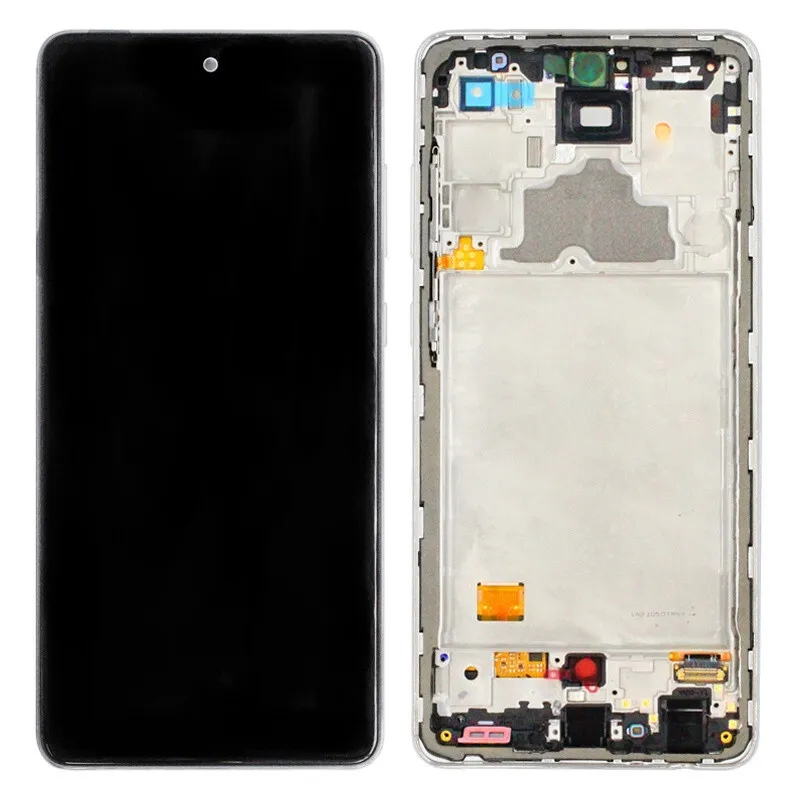
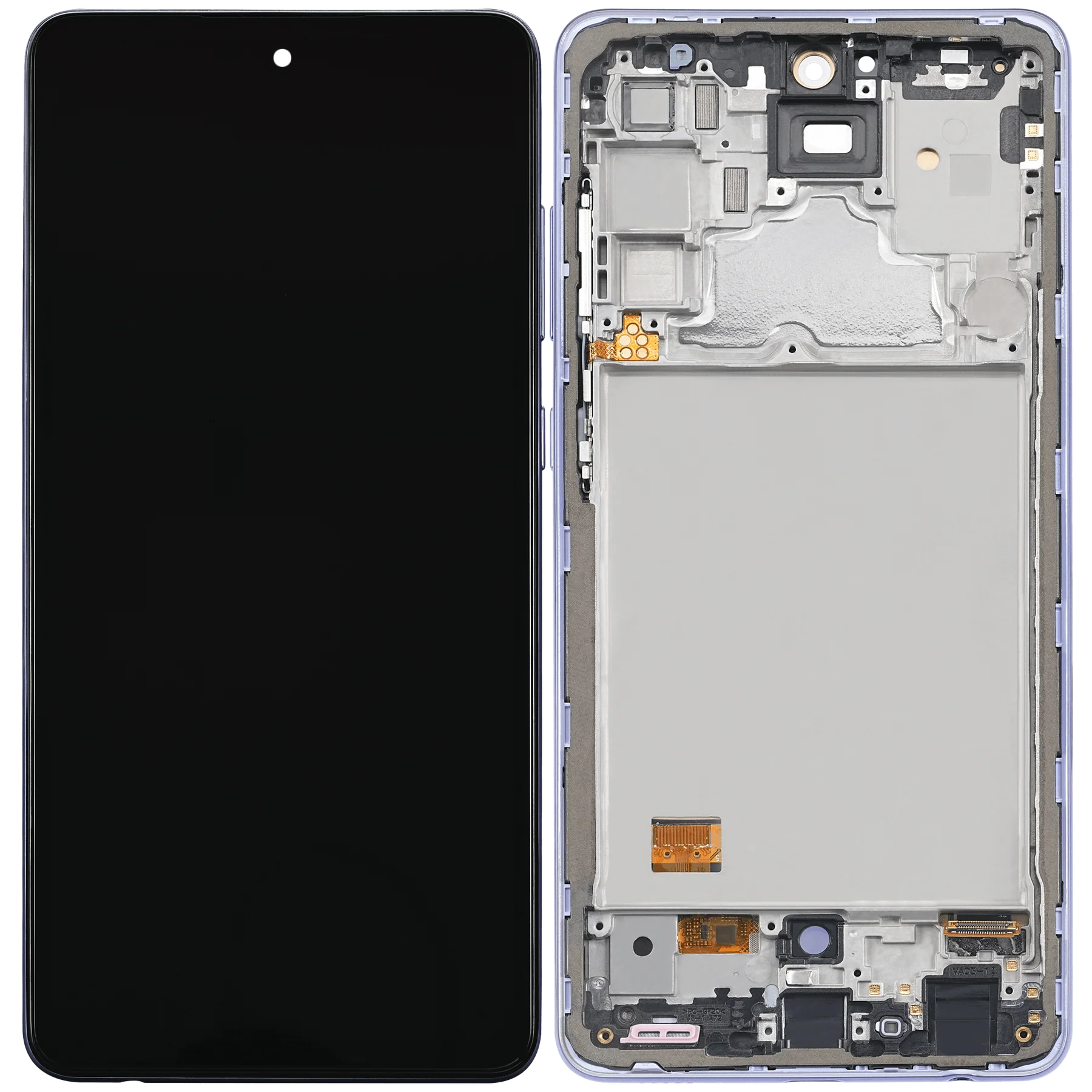
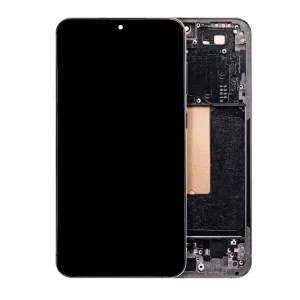
Samsung Galaxy A72 OLED Screen Assembly with Frame Replacement – Premium Display & Touch Restoration
Restore your Samsung Galaxy A72 (SM-A725) to factory display quality with this high-grade OLED screen assembly. Featuring rich colors, sharp resolution, and smooth touch response, this display includes a pre-installed frame for a clean and efficient installation process.
Perfect for fixing cracked screens, unresponsive touch, or blacked-out displays, this OLED assembly provides a reliable solution to bring your A72 back to life.
Why Choose This OLED Screen Assembly with Frame?
Specifically designed for Samsung Galaxy A72 (SM-A725)
OLED technology offers deep contrast and vivid colors
Includes pre-installed frame for easy and precise installation
Tested for brightness, color accuracy, and touch sensitivity
Ideal for replacing damaged, glitchy, or non-working screens
Bring your A72 back to life with this premium OLED screen and frame assembly—engineered for performance, clarity, and reliability.
The Samsung A72 LCD Screen is the centerpiece of the device, providing sharp visuals, touch responsiveness, and overall user experience. A damaged or malfunctioning screen can affect not only the appearance but also the usability of the smartphone. Understanding common issues, repair options, and proper maintenance helps users keep their Samsung A72 in top condition.
Importance of a Functional Samsung A72 LCD Screen
A fully operational Samsung A72 LCD Screen ensures:
-
Clear, vibrant display for videos, games, and browsing
-
Responsive touch for smooth navigation and gaming
-
Accurate color reproduction and brightness
-
Safe interaction without risk of further damage
Neglecting screen issues can lead to Samsung A72 screen repair needs, touch unresponsiveness, or complete display failure. Using certified replacement parts and proper handling prevents long-term damage.
Keywords naturally included: Samsung A72 LCD Screen, Samsung A72 screen repair, replace Samsung A72 screen.
Common Problems with Samsung A72 LCD Screen
-
Cracked or Broken Screen
-
Physical damage due to drops or impacts.
-
-
Unresponsive Touch
-
Touch inputs may fail partially or completely.
-
-
Flickering or Distorted Display
-
Lines, dead pixels, or discoloration may appear.
-
-
Black or Blank Screen
-
The screen may not turn on despite the device working.
-
-
Backlight Issues
-
Uneven brightness or dim areas affect visibility.
-
Keywords naturally included: Samsung A72 LCD Screen, A72 display replacement, Samsung A72 screen repair.
Causes of LCD Screen Problems
-
Accidental Drops – Most common cause of cracked or broken screens.
-
Pressure Damage – Sitting or placing heavy objects on the phone.
-
Water or Liquid Exposure – Moisture can damage LCD layers.
-
Software Glitches – Certain system issues can cause display flickering.
-
Aging and Wear – Prolonged use can reduce touch responsiveness.
Troubleshooting the Samsung A72 LCD Screen
Before opting for replacement, try these steps:
-
Restart the Device
-
Fix minor software glitches causing unresponsive touch or flickering.
-
-
Check for Physical Damage
-
Look for cracks, scratches, or dead pixels.
-
-
Adjust Display Settings
-
Sometimes screen brightness or adaptive settings resolve flickering issues.
-
-
Update Software
-
Software updates can improve screen stability and touch sensitivity.
-
-
Test Safe Mode
-
Booting in safe mode can identify if a third-party app is causing display issues.
-
If these steps don’t resolve the problem, a professional Samsung A72 screen replacement is recommended.
Keywords naturally included: Samsung A72 LCD Screen, replace Samsung A72 screen, Samsung A72 screen repair.
Professional Repair and Replacement
Professional repair ensures:
-
Certified Replacement Parts – Maintains original display quality.
-
Safe Installation – Prevents damage to internal components.
-
Reliable Touch and Display Performance – Restores full responsiveness.
-
Warranty Coverage – Most professional services offer guarantees on replaced screens.
Keywords naturally included: Samsung A72 LCD Screen, replace Samsung A72 screen, A72 display replacement.
Step-by-Step Replacement Overview
-
Turn Off the Device – Avoid electrical shorts.
-
Remove Back Cover and Components – Use proper tools to access the screen safely.
-
Disconnect Battery and Display Connectors – Ensure safety during replacement.
-
Remove Damaged LCD Screen – Carefully detach without damaging other parts.
-
Install New LCD Screen – Align properly and secure connections.
-
Test Device Functionality – Check display clarity, touch responsiveness, and brightness.
Maintenance Tips for Samsung A72 LCD Screen
-
Use a Screen Protector – Prevent scratches and minor cracks.
-
Avoid Excessive Pressure – Don’t sit or place heavy objects on the phone.
-
Keep Away from Moisture – Protect the screen from water or liquid spills.
-
Handle with Care – Avoid dropping the device.
-
Regular Cleaning – Use a microfiber cloth to remove dirt and fingerprints.
Proper maintenance extends the life of the Samsung A72 LCD Screen and reduces repair frequency.
Benefits of a Functional Samsung A72 LCD Screen
-
Enhanced Viewing Experience – Clear and vibrant display.
-
Improved Touch Responsiveness – Smooth navigation and gaming.
-
Safe Device Usage – Prevents further hardware damage.
-
Longer Device Lifespan – Proper maintenance reduces frequent repair needs.
-
Cost-Effective – Timely repair avoids complete device replacement.
Keywords naturally included: Samsung A72 LCD Screen, Samsung A72 screen repair, replace Samsung A72 screen, A72 display replacement.
Conclusion
The Samsung A72 LCD Screen is essential for device performance and user experience. Signs like unresponsive touch, flickering, cracks, or blank screens indicate the need for troubleshooting or professional replacement. Timely screen repair or replacement restores visual clarity, touch accuracy, and overall usability. Regular care, proper handling, and certified replacement parts ensure long-lasting performance and a smooth, reliable device experience.
Keywords heavily included naturally: Samsung A72 LCD Screen, replace Samsung A72 screen, Samsung A72 screen repair, A72 display replacement.
The Samsung A72 LCD Screen is a crucial component that determines the visual clarity, touch responsiveness, and overall usability of your device. A damaged screen can significantly impact your smartphone experience, making it essential to understand common problems, preventive care, and replacement options.
Common Signs of a Faulty Samsung A72 LCD Screen
-
Cracked or Broken Display
-
Visible cracks or shattered glass affect both usability and aesthetics.
-
-
Unresponsive Touch
-
Certain areas of the screen fail to respond to taps or swipes.
-
-
Screen Flickering or Distortion
-
Lines, discoloration, or uneven brightness may occur.
-
-
Black or Blank Screen
-
The device powers on, but the display remains dark.
-
-
Backlight Issues
-
Uneven brightness or dim patches can affect visibility.
-
Keywords naturally included: Samsung A72 LCD Screen, Samsung A72 screen repair, A72 display replacement.
Causes of LCD Screen Problems
-
Physical Damage – Dropping the device or impact can crack the screen.
-
Excessive Pressure – Heavy objects on the screen may cause internal damage.
-
Water or Moisture Exposure – Liquid can seep into the LCD layers.
-
Software Malfunctions – Sometimes display issues arise from software bugs.
-
Wear and Aging – Prolonged use can reduce touch sensitivity.
Troubleshooting the Samsung A72 LCD Screen
Before replacing the screen, users can try these troubleshooting steps:
-
Restart the Device
-
Helps fix minor software glitches affecting touch and display.
-
-
Check for Physical Damage
-
Examine the screen for cracks, scratches, or dead pixels.
-
-
Adjust Display Settings
-
Changing brightness, refresh rate, or adaptive settings can fix flickering.
-
-
Update Software
-
Ensure the device has the latest software for optimal screen performance.
-
-
Test in Safe Mode
-
Booting in safe mode can identify if third-party apps are causing issues.
-
If these steps don’t resolve the problem, a professional Samsung A72 screen replacement is recommended.
Keywords naturally included: Samsung A72 LCD Screen, replace Samsung A72 screen, Samsung A72 screen repair.
Professional Screen Replacement
Professional repair offers:
-
Certified Replacement Parts – Ensures original color accuracy and touch responsiveness.
-
Safe Installation – Prevents damage to internal components.
-
Restored Functionality – Full touch and display performance.
-
Warranty Coverage – Most professional services offer guarantees on screen replacement.
Keywords naturally included: Samsung A72 LCD Screen, replace Samsung A72 screen, A72 display replacement.
Step-by-Step Screen Replacement Overview
-
Power Off Device – Avoid electrical hazards.
-
Remove Back Cover and Components – Use proper tools for safe access.
-
Disconnect Battery and LCD Connectors – Ensures safety during replacement.
-
Remove Damaged LCD Screen – Carefully detach without affecting other parts.
-
Install New LCD Screen – Properly align and secure connections.
-
Test Device Functionality – Confirm display clarity, touch response, and brightness.
Maintenance Tips for Samsung A72 LCD Screen
-
Apply a Screen Protector – Prevent scratches and minor cracks.
-
Avoid Excessive Pressure – Don’t place heavy objects on the device.
-
Keep Away from Moisture – Protect screen from water damage.
-
Handle Carefully – Avoid dropping the device.
-
Regular Cleaning – Use a microfiber cloth to remove dirt and fingerprints.
Proper care extends the life of the Samsung A72 LCD Screen and reduces repair frequency.
Keywords naturally included: Samsung A72 LCD Screen, Samsung A72 screen repair, replace Samsung A72 screen, A72 display replacement.
Benefits of Maintaining a Functional Samsung A72 LCD Screen
-
Enhanced Viewing Experience – Clear visuals for videos, games, and apps.
-
Responsive Touch – Smooth navigation and gaming.
-
Device Safety – Prevents further internal damage.
-
Extended Device Lifespan – Reduces frequent repair needs.
-
Cost-Effective – Timely maintenance avoids expensive replacements.
Keywords naturally included: Samsung A72 LCD Screen, replace Samsung A72 screen, Samsung A72 screen repair, A72 display replacement.
The Samsung A72 LCD Screen is essential for the visual and functional experience of the device. Any malfunction in the screen can disrupt touch functionality, display clarity, and overall usability. Understanding advanced troubleshooting methods, maintenance techniques, and repair procedures ensures that the device remains reliable and performs optimally.
Recognizing Screen Issues
-
Flickering Display
-
The screen may display temporary flickers, lines, or patches of discoloration.
-
-
Unresponsive Touch Areas
-
Some portions of the screen may not respond to touch, causing navigation issues.
-
-
Dim or Uneven Backlight
-
Uneven brightness or dim spots can make reading or viewing difficult.
-
-
Cracks and Physical Damage
-
Even minor cracks can affect touch accuracy and visual appeal.
-
-
Complete Blackout
-
The display may fail to power on while the device itself functions.
-
Causes of LCD Malfunction
-
Accidental Drops – Most common reason for screen damage.
-
Excessive Pressure – Applying heavy pressure can damage the LCD layers.
-
Moisture Exposure – Water or humidity can infiltrate the display and affect performance.
-
Aging – Continuous usage over time may reduce touch responsiveness.
-
Internal Component Faults – Defective connectors or circuits may impact display performance.
Advanced Troubleshooting Techniques
-
Soft Reset
-
Rebooting the device can fix minor software-related screen glitches.
-
-
Safe Mode Testing
-
Booting into safe mode can help identify if third-party apps are causing display issues.
-
-
Adjust Display Settings
-
Modifying brightness, refresh rate, or adaptive settings can sometimes fix flickering.
-
-
Check for Loose Connections
-
Occasionally, internal connectors may become loose, affecting display functionality.
-
-
Battery and Power Checks
-
Ensure the device has stable power supply, as low voltage may cause flickering or dimming.
-
Professional Repair Considerations
Even after troubleshooting, a damaged or unresponsive Samsung A72 LCD Screen may require professional attention.
-
Certified Parts Replacement – Ensures original color accuracy and touch sensitivity.
-
Secure Installation – Avoids damage to the motherboard or other internal components.
-
Warranty Protection – Many services provide guarantees on replaced screens.
Step-by-Step Replacement Overview (Professional)
-
Turn Off the Device – Avoid electric shocks or short circuits.
-
Remove Back Cover and Components – Use proper tools to safely access the screen.
-
Disconnect Battery and LCD Connectors – Ensure safety during repair.
-
Detach Damaged Screen – Carefully remove without affecting other parts.
-
Install New Screen – Align and secure all connectors properly.
-
Test Device – Verify touch responsiveness, brightness, and display clarity.
Maintenance Tips for Longevity
-
Use Protective Accessories – Screen protectors and sturdy cases help prevent damage.
-
Avoid Excessive Pressure – Keep the device away from heavy loads.
-
Keep Dry – Prevent moisture or liquid exposure.
-
Regular Cleaning – Use microfiber cloths to avoid scratching the surface.
-
Handle Carefully – Avoid dropping or bumping the device.
Benefits of Proper Maintenance
-
Enhanced Viewing Experience – Vibrant visuals for media, games, and apps.
-
Smooth Touch Interaction – Reliable navigation and gaming control.
-
Device Safety – Minimizes risk of internal component damage.
-
Extended Lifespan – Prevents frequent screen repairs.
-
Cost-Effective – Reduces need for complete device replacement.
The Samsung A72 LCD Screen is the most critical component that defines the visual performance, touch responsiveness, and overall usability of the device. Any malfunction in the screen can significantly impact device performance, causing inconvenience and potential damage to internal components. This comprehensive guide covers advanced troubleshooting, repair strategies, replacement methods, and preventive maintenance to ensure your Samsung A72 LCD Screen stays fully functional.
Importance of a Functional Samsung A72 LCD Screen
A fully operational Samsung A72 LCD Screen guarantees:
-
Clear and Vibrant Display – High-resolution visuals for videos, photos, and gaming.
-
Responsive Touch – Smooth navigation and accurate touch inputs.
-
Device Safety – Prevents additional internal damage caused by screen malfunction.
-
Optimal User Experience – Enhances media consumption, browsing, and app usability.
-
Extended Device Lifespan – Proper maintenance reduces frequent repair needs.
Neglecting screen issues may result in serious A72 screen issues, leading to unresponsiveness, flickering, or complete display failure.
Keywords naturally included: Samsung A72 LCD Screen, A72 screen issues, Samsung A72 screen repair.
Common A72 LCD Screen Problems
-
Cracked or Broken Display
-
Dropping the device or accidental impacts can cause cracks, affecting touch and display.
-
-
Unresponsive Touch Areas
-
Certain sections of the screen may stop responding to taps or gestures.
-
-
Flickering or Distorted Display
-
Lines, color inconsistencies, or flickering may appear intermittently.
-
-
Black or Blank Screen
-
Device powers on, but the display remains blank, indicating potential LCD or connector faults.
-
-
Dim or Uneven Backlight
-
Uneven brightness, dark spots, or dim areas can make screen usage difficult.
-
Keywords naturally included: Samsung A72 LCD Screen, A72 screen issues, Samsung A72 screen repair, A72 display replacement.
Causes of LCD Screen Problems
-
Accidental Drops – Most common cause of screen cracks.
-
Excessive Pressure – Pressure from heavy objects can damage internal layers.
-
Water or Liquid Exposure – Moisture can seep into the LCD, causing malfunctions.
-
Software Glitches – Updates or bugs may lead to flickering or touch issues.
-
Normal Wear and Tear – Over time, the screen may lose sensitivity or brightness.
Understanding these causes helps users identify whether the issue requires simple troubleshooting or a full screen replacement.
Keywords naturally included: Samsung A72 LCD Screen, replace Samsung A72 screen, A72 screen issues.
Troubleshooting Samsung A72 LCD Screen
-
Restart the Device
-
Resolves minor software-related touch or display issues.
-
-
Check for Physical Damage
-
Inspect cracks, scratches, or dead pixels before attempting repair.
-
-
Adjust Display Settings
-
Modifying brightness, adaptive display, or refresh rate may fix flickering issues.
-
-
Safe Mode Testing
-
Booting into safe mode can identify if third-party apps are causing touch or display problems.
-
-
Check for Loose Connectors
-
Sometimes internal connections may loosen, affecting screen performance.
-
-
Use Certified Accessories
-
Original chargers and cables prevent voltage fluctuations that may impact the display.
-
Keywords naturally included: Samsung A72 LCD Screen, Samsung A72 screen repair, A72 screen issues.

Professional Screen Repair & Replacement
Professional repair ensures:
-
Certified Parts – Guarantees original color reproduction and touch responsiveness.
-
Safe Installation – Prevents damage to the motherboard or battery.
-
Reliable Performance – Restores full touch functionality and display clarity.
-
Warranty Coverage – Most services provide guarantees on replaced screens.
Replacing your Samsung A72 LCD Screen with professional assistance ensures longevity and optimal device performance.
Keywords naturally included: replace Samsung A72 screen, Samsung A72 screen repair, A72 display replacement.
Step-by-Step Replacement Overview
-
Turn Off Device – Avoid short circuits.
-
Remove Back Cover and Components – Use proper tools to safely access the LCD.
-
Disconnect Battery and LCD Connectors – Prevent electrical hazards during replacement.
-
Remove Damaged LCD Screen – Detach carefully without affecting other components.
-
Install New LCD Screen – Properly align and secure connections.
-
Test Device Functionality – Ensure clear display, smooth touch, and stable brightness.
Keywords naturally included: Samsung A72 LCD Screen, replace Samsung A72 screen, Samsung A72 screen repair.
Maintenance Tips for Long-Term Performance
-
Apply Screen Protectors – Prevent scratches and minor cracks.
-
Use Protective Cases – Reduce the risk of accidental drops or pressure damage.
-
Keep Dry – Avoid exposure to water or moisture.
-
Handle Carefully – Avoid dropping or placing heavy objects on the device.
-
Regular Cleaning – Use microfiber cloths to remove dust and fingerprints.
-
Monitor Display Performance – Address flickering or dim spots immediately to prevent further damage.
Keywords naturally included: Samsung A72 LCD Screen, replace Samsung A72 screen, A72 display replacement, A72 screen issues.
Benefits of a Functional Samsung A72 LCD Screen
-
Enhanced Visual Experience – Clear, vibrant, and sharp display.
-
Smooth Touch Functionality – Reliable and responsive for apps and games.
-
Device Safety – Reduces risk of further internal damage.
-
Extended Device Lifespan – Proper maintenance prevents frequent repairs.
-
Cost-Effective – Timely repair or replacement avoids expensive device replacement.
Keywords naturally included: Samsung A72 LCD Screen, Samsung A72 screen repair, A72 display replacement, A72 screen issues.
-


Reviews
There are no reviews yet.