
Description
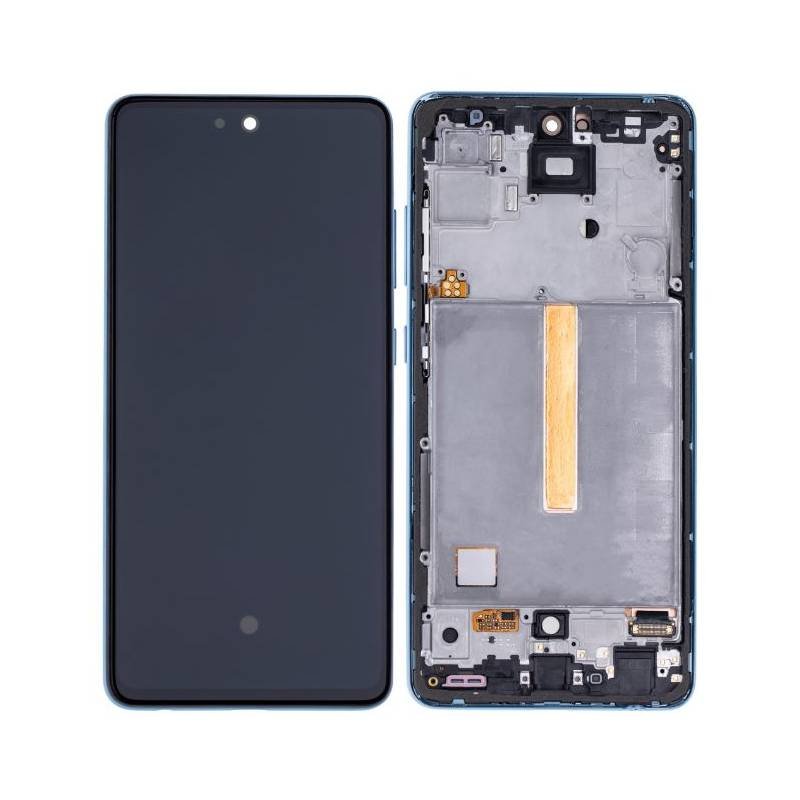
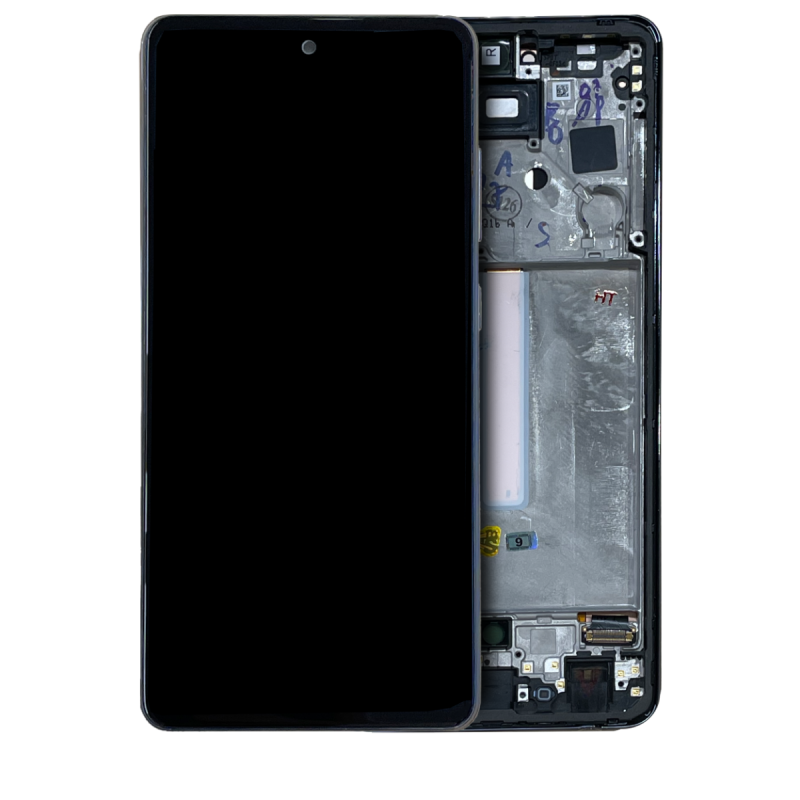
Samsung Galaxy A52 4G OLED Screen Assembly With Frame – Bright, Smooth Display Restored
Bring your Samsung Galaxy A52 4G (A525 / 2021) back to life with this high-quality OLED screen replacement. Featuring vibrant color contrast, smoother visuals, and deeper blacks, OLED technology provides a superior viewing experience. The frame is pre-installed, simplifying the repair process and ensuring a perfect fit.
This replacement is ideal for repairing damaged displays, touch issues, or malfunctioning screens—trusted by technicians and DIY users alike.
Why Choose This OLED Assembly?
Specifically designed for Galaxy A52 4G (A525)
OLED panel delivers vibrant colors and deeper contrast
Includes pre-installed frame for quicker, cleaner installation
Factory-tested for brightness, sensitivity, and durability
Solves common display issues in one complete assembly
Restore the premium feel and performance of your A52 4G with this professional-grade OLED screen replacement.
The Galaxy A52 4G OLED Screen is one of the most essential and premium components of the Samsung Galaxy A52 4G. With its vibrant colors, deep contrast, and high refresh rate, it delivers the smooth and immersive experience Samsung is known for. However, like all smartphone displays, the Samsung A52 OLED Screen is vulnerable to accidental drops, scratches, and hardware issues.
A broken screen doesn’t just affect appearance — it impacts usability, touch sensitivity, and even battery performance. This is why Galaxy A52 Screen Replacement has become one of the most in-demand repair services. In this guide, we’ll cover everything you need to know about the Galaxy A52 4G OLED Screen — from its features to common problems, replacement process, pricing, and preventive care.
Key Features of the Galaxy A52 4G OLED Screen
The Samsung A52 OLED Screen stands out because of its superior technology:
-
OLED Panel Technology – Produces deep blacks, sharp contrast, and vibrant colors.
-
High Resolution – Full HD+ display for crystal-clear visuals.
-
Smooth Touch Response – Ensures accurate touch sensitivity and gaming performance.
-
Durable Glass Protection – Resistant to scratches and daily wear.
-
Energy Efficiency – OLED screens consume less battery compared to LCDs.
These qualities make the Galaxy A52 4G OLED Screen one of the best in its price segment, offering a premium experience.
Common Issues with the Galaxy A52 4G OLED Screen
Despite its durability, the Galaxy A52 Display can face several problems:
-
Cracked Screen – The most common issue after accidental drops.
-
Touch Not Working – Loss of touch sensitivity in damaged areas.
-
Dead Pixels or Black Spots – Small black patches on the screen.
-
Screen Flickering – Disturbed visuals or inconsistent brightness.
-
Lines on Screen – Vertical or horizontal lines after impact.
-
Discoloration – Parts of the screen appearing faded or tinted.
-
Complete Display Failure – Screen remains black even though the phone is on.
When these problems appear, the best solution is a Samsung A52 Screen Replacement using a high-quality OLED display.
Why Choose OLED Over LCD for Replacement
Some repair shops may offer LCD screens as a cheaper alternative. However, choosing an OLED replacement screen for the Galaxy A52 4G provides:
-
Better color reproduction & contrast
-
Improved brightness levels
-
Longer lifespan
-
Smoother touch response
-
Original Samsung-like quality
Although LCDs cost less, they compromise on quality. Investing in an OEM-quality Galaxy A52 OLED Screen Replacement ensures a premium experience similar to the original display.
Benefits of Galaxy A52 4G OLED Screen Replacement
Replacing a faulty display with a new Samsung A52 OLED Screen comes with many benefits:
-
Restores original visual clarity & brightness
-
Brings back smooth touch functionality
-
Improves gaming and video streaming experience
-
Prevents eye strain caused by faulty screens
-
Increases overall resale value of the phone
DIY vs Professional Screen Replacement
Some users try DIY Galaxy A52 Display Replacements, but it’s risky. Reasons include:
-
The OLED screen is fragile and expensive.
-
Improper handling can damage internal parts.
-
Specialized tools are required for safe removal.
-
Dust or improper sealing can ruin the screen.
Professional Samsung A52 Screen Replacement services ensure:
-
Use of high-quality OLED parts
-
Safe disassembly and installation
-
Warranty on repair
-
Full testing for touch, brightness, and colors
Choosing a professional is always safer and ensures the new Galaxy A52 OLED Screen performs like the original.
Replacement Process for Galaxy A52 4G OLED Screen
Here’s how technicians typically handle a Samsung A52 OLED Screen Replacement:
-
Power off the device.
-
Gently heat and remove the back panel.
-
Disconnect the battery and display flex cable.
-
Remove the damaged Galaxy A52 Screen.
-
Install the new OLED display carefully.
-
Reconnect all parts and test functionality.
-
Seal the phone back securely.
The entire process usually takes 30–60 minutes, depending on the technician’s experience.
Cost of Galaxy A52 OLED Screen Replacement
The Samsung A52 OLED Screen Price varies based on:
-
OEM vs third-party screens
-
Repair shop location
-
Technician labor cost
While LCD alternatives are cheaper, investing in an OLED replacement provides the best performance and durability. In most markets, the Galaxy A52 OLED Screen Replacement cost is much lower than buying a new phone, making it a smart investment.
Tips for Maintaining the New Galaxy A52 OLED Screen
After replacing the Galaxy A52 4G OLED Screen, follow these preventive care tips:
-
Always use a high-quality screen protector.
-
Avoid placing the phone in back pockets to reduce pressure.
-
Use a shock-absorbent phone case.
-
Keep the screen clean with a microfiber cloth.
-
Avoid exposure to extreme heat or moisture.
These habits help extend the lifespan of your new Samsung A52 OLED Display.
Future of OLED Technology
The Galaxy A52 OLED Screen is part of a bigger shift towards OLED technology in smartphones. Future OLED advancements will bring:
-
Higher refresh rates
-
Stronger protection layers
-
Improved energy efficiency
-
Thinner and lighter screens
This ensures that OLED remains the best choice for display replacements in modern smartphones.
Conclusion
The Galaxy A52 4G OLED Screen is central to the premium Samsung experience, delivering unmatched visuals and smooth performance. However, accidents, drops, and wear can damage the display, leading to touch problems, flickering, or complete failure.
The best solution is a professional Galaxy A52 OLED Screen Replacement using OEM-quality parts. It restores original quality, ensures long-lasting performance, and is far more affordable than buying a new device. By investing in the right replacement and following care tips, users can continue enjoying the brilliance of the Samsung A52 OLED Display for years to come.
The Galaxy A52 4G OLED Screen is one of the standout features of Samsung’s mid-range lineup. Known for its sharp visuals and reliable performance, the display makes the Galaxy A52 a favorite among users who love gaming, streaming, and everyday multitasking. But as with all smartphone screens, it can face damage or performance issues over time. Understanding the value, repair options, and care of the Samsung A52 OLED Display helps users make better decisions when facing screen problems.
Why the OLED Screen Matters
The Galaxy A52 OLED Screen isn’t just about looks — it plays a vital role in how the device functions:
-
User Interaction – Every tap, swipe, and gesture is registered through the screen.
-
Entertainment – From Netflix to YouTube, the OLED panel provides vivid colors.
-
Gaming – High responsiveness makes it suitable for modern mobile gaming.
-
Productivity – Reading, browsing, and office work feel smoother on a quality display.
Simply put, without a fully working Samsung A52 OLED Screen, the phone loses its core functionality.
When the Screen Fails
Over time, users may experience different issues with the Galaxy A52 Display:
-
Cracks after accidental drops
-
Scratches from daily use
-
Unresponsive touch areas
-
Brightness issues in direct sunlight
-
Display flickering during charging or multitasking
-
Discoloration caused by internal damage
These problems can start small but worsen quickly if ignored, making screen replacement the only viable solution.
Repair or Replacement?
Many users wonder whether a damaged Samsung A52 OLED Screen can be repaired instead of replaced. In most cases:
-
Minor scratches can be managed with screen protectors.
-
Cracks or shattered glass require full replacement.
-
Touch problems or dead pixels almost always demand a new display.
Since the display integrates both touch and visual components, a proper Galaxy A52 OLED Screen Replacement is usually the safest and most reliable fix.
Benefits of Choosing OLED for Replacement
Some repair shops might offer LCD replacements as a cheaper alternative, but users should know the difference. An OLED replacement screen provides:
-
Superior contrast and brightness
-
More natural color reproduction
-
Energy-efficient technology
-
Better sunlight readability
-
Original Samsung-like feel
Choosing OLED ensures that the Galaxy A52 4G Display maintains the same quality and performance users are accustomed to.
What to Expect During Replacement
Professional technicians follow a safe and step-by-step process to replace the Samsung A52 OLED Screen:
-
Powering down the device to avoid damage.
-
Heating the adhesive around the back panel.
-
Removing the old display and cleaning the frame.
-
Connecting the new OLED screen with precision.
-
Testing brightness, touch, and responsiveness.
-
Reassembling the device securely.
The process usually takes about an hour, depending on the technician’s skill.
Cost Considerations
The Galaxy A52 OLED Screen price varies by region, repair center, and whether you choose OEM or third-party parts. While third-party screens are cheaper, OEM-quality OLED replacements guarantee:
-
Longer lifespan
-
Better durability
-
Warranty coverage
Although the cost might feel high at first, it is still far more affordable than replacing the entire phone.
Preventive Measures for a Long-Lasting Screen
After a successful Galaxy A52 Screen Replacement, users can extend the life of their new display by following some simple practices:
-
Apply a tempered glass protector to prevent scratches.
-
Use a shockproof case to reduce the risk of cracks.
-
Avoid exposing the device to moisture.
-
Clean the screen regularly with a microfiber cloth.
-
Do not use cheap charging cables, as they sometimes affect screen stability during charging.
Why Professional Replacement is Safer
Some tech-savvy users attempt DIY replacement, but the OLED screen of the Galaxy A52 is delicate and requires expertise. Risks of DIY repairs include:
-
Damaging the motherboard
-
Breaking the new screen during installation
-
Improper adhesive application leading to gaps
-
Loss of waterproofing seals
Professional services ensure that the Samsung A52 OLED Screen Replacement is done correctly with tools, expertise, and a warranty for peace of mind.
Customer Experiences
Many Galaxy A52 users who opted for OLED screen replacement report:
-
Sharper visuals compared to aftermarket LCDs
-
Better durability after professional installation
-
Improved gaming and video experience
-
Smooth touch response identical to the original display
This highlights the importance of choosing OLED over other alternatives.
The Galaxy A52 4G OLED Screen is one of the most crucial parts of the Samsung A52. Without a properly working Samsung A52 OLED Display, users cannot enjoy videos, games, browsing, or even basic functions. Over time, accidents, scratches, and drops damage the screen, making Galaxy A52 Screen Replacement a common need. In this section, we explore every detail about the Galaxy A52 OLED Screen, including issues, repair solutions, replacement benefits, cost, and why professional repair is always better.
Importance of the Galaxy A52 4G OLED Screen
The Samsung A52 OLED Screen is more than just a visual panel — it is the gateway to the entire smartphone experience. Its OLED technology ensures:
-
High resolution and sharp details
-
Bright colors with deep contrasts
-
Smooth touch response
-
Lower battery consumption compared to LCDs
A damaged Galaxy A52 4G OLED Screen reduces usability, which is why Galaxy A52 Screen Replacement becomes necessary when problems arise.
Common Galaxy A52 OLED Screen Issues
Users of the Samsung A52 OLED Display often face issues due to accidents, daily wear, or internal faults. Some of the most reported problems include:
-
Cracked Screen – The most common issue requiring Galaxy A52 Screen Replacement.
-
Unresponsive Touch – A failing Samsung A52 OLED Screen stops registering taps and swipes.
-
Flickering Display – Disturbed brightness that affects usage.
-
Dead Pixels – Small black spots on the Galaxy A52 4G OLED Screen.
-
Vertical or Horizontal Lines – Often a result of internal panel damage.
-
Complete Display Failure – Screen remains black even when the phone is on.
In all these cases, a Galaxy A52 Display Replacement is the best solution.
Why Choose OLED Over LCD Replacements
When replacing the Galaxy A52 OLED Screen, users sometimes get offered LCD alternatives. However, choosing OLED ensures:
-
Original Samsung-like quality
-
Superior brightness & contrast
-
Better outdoor visibility
-
More accurate touch response
-
Longer screen life
Although an LCD may save cost, it compromises performance. A genuine Samsung A52 OLED Screen Replacement delivers the same premium experience as the original.
Benefits of Galaxy A52 Screen Replacement
Investing in a Galaxy A52 4G OLED Screen Replacement comes with many advantages:
-
Restores smooth touch and display clarity
-
Fixes all Samsung A52 Display Repair issues
-
Improves video, gaming, and browsing experience
-
Extends the phone’s overall lifespan
-
Increases resale value
The benefits far outweigh the Galaxy A52 OLED Screen Price, making replacement a smart choice.
DIY vs Professional Galaxy A52 Display Repair
Some users try to replace the Galaxy A52 4G OLED Screen themselves. However, DIY repair comes with risks:
-
Breaking the new Samsung A52 OLED Screen during installation
-
Damaging the phone’s motherboard
-
Improper sealing that affects durability
-
Loss of waterproofing
Professional Galaxy A52 Screen Replacement services provide:
-
OEM-quality Galaxy A52 OLED Displays
-
Safe installation with proper tools
-
Testing of touch and brightness
-
Warranty for peace of mind
This is why professional repair is always recommended.
Galaxy A52 OLED Screen Replacement Process
Technicians follow these steps when performing a Samsung A52 Screen Replacement:
-
Power off the phone.
-
Heat the back cover to loosen adhesive.
-
Remove the old Galaxy A52 OLED Screen carefully.
-
Clean the frame and prepare for installation.
-
Install the new Samsung A52 OLED Display.
-
Test functionality for touch, brightness, and colors.
-
Seal the phone securely.
The whole process usually takes 30–60 minutes.
Galaxy A52 OLED Screen Price & Cost of Replacement
The Galaxy A52 OLED Screen Price varies depending on:
-
OEM vs generic quality
-
Region or repair shop location
-
Technician labor charges
OEM-quality Samsung A52 OLED Screen Replacements cost more than generic LCDs but last longer and provide superior performance. In comparison, buying a new phone is far more expensive, making replacement the cost-effective solution.
Preventive Care for Galaxy A52 OLED Screen
After a successful Galaxy A52 Display Replacement, users can keep the new screen safe by:
-
Applying a tempered glass protector
-
Using a strong protective case
-
Keeping the screen clean with microfiber cloths
-
Avoiding exposure to moisture and extreme heat
-
Charging with genuine cables to prevent flickering issues
These steps extend the life of the Samsung A52 OLED Screen.
Customer Feedback on Galaxy A52 Screen Replacement
Most users who got a Galaxy A52 4G OLED Screen Replacement report:
-
The new screen feels like original Samsung quality
-
Visuals are bright and smooth again
-
Touch response works flawlessly
-
The OLED display performs better than LCD alternatives
This shows why investing in a proper Samsung A52 OLED Screen Replacement is always worth it.
The Galaxy A52 4G OLED Screen is one of the most advanced display panels in Samsung’s mid-range series. Known for its premium quality, sharp visuals, and smooth touch, the Samsung A52 OLED Display is the heart of the smartphone experience. But with daily usage, accidental drops, and wear, many users face screen problems that demand a reliable Galaxy A52 Screen Replacement.
Why the Galaxy A52 4G OLED Screen is Special
The Galaxy A52 4G OLED Screen offers outstanding performance compared to ordinary LCD panels:
-
Deep blacks and vibrant colors with OLED technology
-
Smooth touch response for gaming and multitasking
-
High resolution for crystal-clear images and videos
-
Energy-efficient performance to save battery life
This makes the Samsung A52 OLED Display one of the best in its class.
Common Galaxy A52 Screen Issues
Many users eventually face Galaxy A52 Screen Problems, such as:
-
Cracked or shattered Galaxy A52 OLED Screen after drops
-
Flickering or dim brightness issues
-
Dead pixels and black spots on the Samsung A52 Display
-
Unresponsive touch areas
-
Vertical or horizontal lines across the screen
In most cases, the only permanent fix is a Galaxy A52 Screen Replacement.
Benefits of Galaxy A52 OLED Screen Replacement
Choosing a proper Samsung A52 OLED Display Replacement brings many benefits:
-
Restores sharp visuals and brightness
-
Fixes all touch and display issues
-
Improves gaming, video, and app experience
-
Extends the phone’s life span
-
Increases resale value of the device
An OEM-quality Galaxy A52 4G OLED Screen Replacement guarantees performance like the original.
Galaxy A52 OLED Screen Price & Replacement Cost
The Galaxy A52 OLED Screen Price depends on part quality and repair shop charges. While cheaper LCD alternatives exist, they compromise brightness, touch response, and overall performance. Investing in a genuine Samsung A52 OLED Screen Replacement ensures:
-
Long-lasting durability
-
Better display quality
-
Smooth user experience
Compared to buying a new phone, the Galaxy A52 Display Repair cost is much more affordable.
Professional vs DIY Replacement
Although some try DIY Galaxy A52 OLED Screen Replacements, it is risky. The Samsung A52 Display is delicate and requires expertise. Professional technicians provide:
-
OEM-quality parts
-
Safe installation without damage
-
Warranty-backed service
-
Proper testing for touch and display
This makes professional Galaxy A52 Screen Replacement the smarter choice.


Reviews
There are no reviews yet.